Two colours and a logo in. A whole brand out.
Set your logo and your colours. The engine turns them into a complete portal theme that passes contrast checks on every screen; every email your customers receive carries your logo and colour; your logo and icon are served from your own domain. And for your website, the brand kit draws the rest: logo lockups for light and dark, an app icon, a favicon, a phone icon and a share image.
Illustration · a fictional partner, sample figures
A colour that looks right in a logo is often wrong on a button.
White text on a light green fails. A pale yellow link disappears on white. A strong red reads as an error message. Most white-label tools paint your colour wherever theirs used to be and leave those failures to your customers’ eyes, which is why so many branded portals look slightly off.
The engine works out every colour your portal needs from yours. It builds a tonal range from your primary colour and tints the greys with its hue. A button keeps your exact colour when white text reads on it; when it does not, the text turns dark, or the colour is deepened just enough. Links are darkened until they read on every background. If you have no second colour, or yours is too close to the first, one is derived. Charts, avatars and status colours are made to sit with your brand.
It was tested on ten thousand random brands. Body text reads at 7:1 contrast or better, buttons, links and quieter text at 4.5:1, borders and focus rings at 3:1, every time. Your customers see your brand, and they can read it.
random brands tested for contrast
contrast for body text, every brand
for buttons, links and quieter text
colours and a logo is all it needs
What you set, once
On Brand & portal: your business name and a short name, your logo and a version for dark backgrounds, your favicon, and your two colours, with suggestions picked from your logo. Your support email, your website and the welcome line on your sign-in page. Whether new customers can sign up to run their own campaigns, ask you to run them, or both. The currency you sell in.
And one subdomain of your own, which runs both your customers’ portal and the emails the platform sends them. The DNS records to add are generated for you.
- Colours suggested from your logo
- Your sign-in page’s welcome line
- One subdomain for the portal and its emails
Made your brand in the website builder? Then the portal already wears its logo set, colours and favicon, and Brand & portal shows them, with a link to change them where they were made.
Illustration · a fictional partner, sample figures
Illustration · three fictional partners, one portal, sample data
One portal. Every partner’s brand.
The theme is applied as the very first byte of your customers’ portal arrives, so they never see someone else’s colours flash past. While it loads they see your logo, not a spinner. The page title, the favicon, the home-screen icon and the preview a shared link shows are yours.
The sign-in page, invitations, confirmations and every other page your customers reach before they sign in wear your logo and colour too. Even the markup is neutral: nothing on your portal names the platform it runs on.
- Themed from the first byte, no flash
- Your logo while it loads
- Your title, icon and link preview
Every email, in your brand
Welcome emails, invitations, password resets and notifications all wear your brand. Your logo sits on a white band, loaded from your own domain. The header is your colour, deepened until white text reads on it; the button is checked for contrast. The fonts are the ones every inbox has, and the colours hold up in Gmail’s dark mode.
They are sent from your domain, in your name. If your sending domain is not verified yet, nothing goes out from anyone else’s.
- Your logo and colour on every email
- Readable in Gmail’s dark mode
- From your domain, in your name
Illustration · a fictional partner, sample figures
Your files, served from your domain
Your logo, the dark version, your icon and your share image are served from your own portal address, cached for speed, so a customer who copies an image address sees your domain in it. Only your own uploads are served there.
- Logo, icon and share image on your own address
- Cached for a year, refreshed when you change them
- Only your own files
Drawn for your website in an afternoon.
Ask for four app-icon ideas in your colours (six credits), or use your initial. From the icon you pick, the kit is drawn in your browser, free: the logo lockups, the favicon, the phone icon and the share image.
Four icon ideas, four different takes
A bold symbol, a geometric mark, a rounded symbol with an accent, and a minimal mark: each a flat tile in your primary colour, with no text, readable at 32 pixels. With a mascot, the four takes are its head instead.
- Four ideas for six credits; draw four more any time
- Or your initial on your colour, free
- Every file drawn from the one you pick





Icon and name in your heading font · transparent PNG, 200 px high

180 px, full-bleed; the phone rounds it

The same lockup with white text, for dark footers
 Harbour & Finch — Email…
64 px with rounded corners
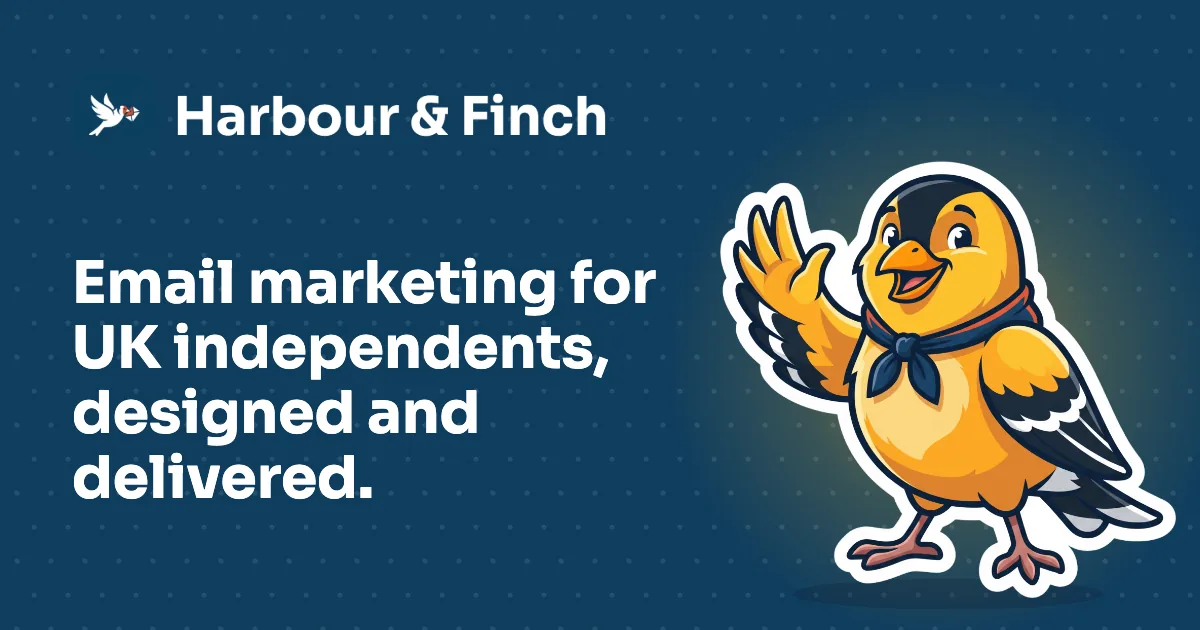
What a link to your site looks like in messages and social posts: your colour, your logo, your one-line promise and your mascot. Each page can have its own too, with its headline.
Example · Harbour & Finch is a fictional partner; this was made by the product, with the code partners use
A brand that looks expensive and reads perfectly.
Looks like you hired a studio
A consistent theme, a proper logo lockup, an icon that works at every size and a share image for every link.
Readable for everyone
Contrast is engineered, not hoped for, so customers with tired eyes or a phone in the sun can use your portal.
Nobody else’s name
Portal, emails, files and markup carry your brand only. Your customers subscribe to you.
Branding questions
Do I need a designer?
No. Two colours and a logo are enough for the portal and the emails. For the website, the brand kit draws the rest; if you have a designer’s files, upload them instead.
What if my brand colour is hard to read?
The engine adjusts how it is used, never your logo: dark text on a light button, a deeper shade for links, a derived second colour, until everything reads.
Will my customers see SendTo in the portal?
No. Its screens, its sign-in page, its emails and the files it serves carry your name and your brand, and its markup names nothing else.
Where are my logo and icon kept?
They are served from your own portal address, so the address a customer sees on any image is yours.
Can I change my brand later?
Yes. Save new colours or a new logo and the portal follows. On the website, the theme can be applied to every page in one go.
Is the website’s brand the same as the portal’s?
Yes, when you make your brand in the website builder: the portal wears its logo, dark logo, favicon and colours, and your Brand kit draws over thirty files from it. Change it in the builder and both follow.
Your brand, on every screen and every email.
Two colours and a logo. The engine does the rest, and checks its own work.
No contract · Cancel any time · Explore everything before you pay