A website that sells your platform. Written, designed and published for you.
Answer the questions about your business, choose one of three directions an AI art director drew up for you, and approve the plan. The builder writes every page in your voice, designs it in your brand (with your mascot, if you have one), keeps the pricing page in step with your plans and publishes the site on your own domain. A typical site is 28 pages: a page for every feature, every industry you serve and every question a buyer asks.
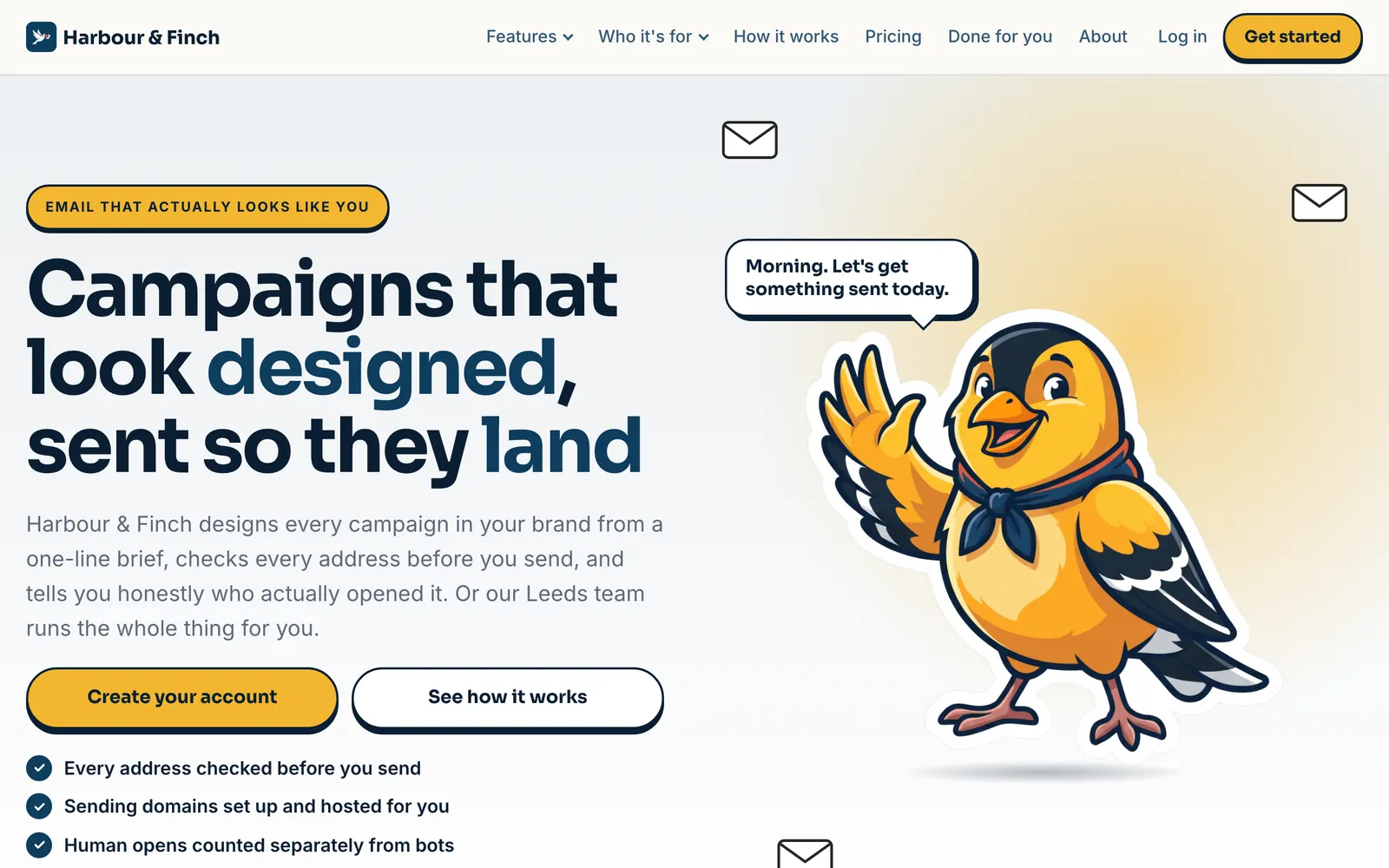
Example · Harbour & Finch is a fictional partner; this was made by the product, with the code partners use
Your platform is only as credible as the website that sells it.
A small business choosing an email platform reads before it buys. It wants a page that explains each feature, a page that speaks to its industry, a pricing page with real numbers, answers to its questions, and a reason to trust the people behind it. The platforms you compete with have all of that, written by marketing teams.
A holding page and a sign-up button cannot compete with that. A custom site is weeks of a designer’s and a copywriter’s time, then more every time a plan changes or a feature is added. So most white-label platforms are sold with a logo and a login, and buyers can tell.
The builder gives every partner the website a funded software company would build: long, specific, designed and complete on the day it goes live, written only from the platform’s real features and the facts you give it, and kept in step with your plans after that.
pages on a typical site, from one brief
design languages, each a complete style
section layouts, rotated across your pages
countries written for, law and spelling included
One brief. Six completely different websites.
Each language is a whole design system: its own type, spacing, shapes, colour handling and movement, with your brand recast to suit it. Here is the same fictional partner’s home page in each.
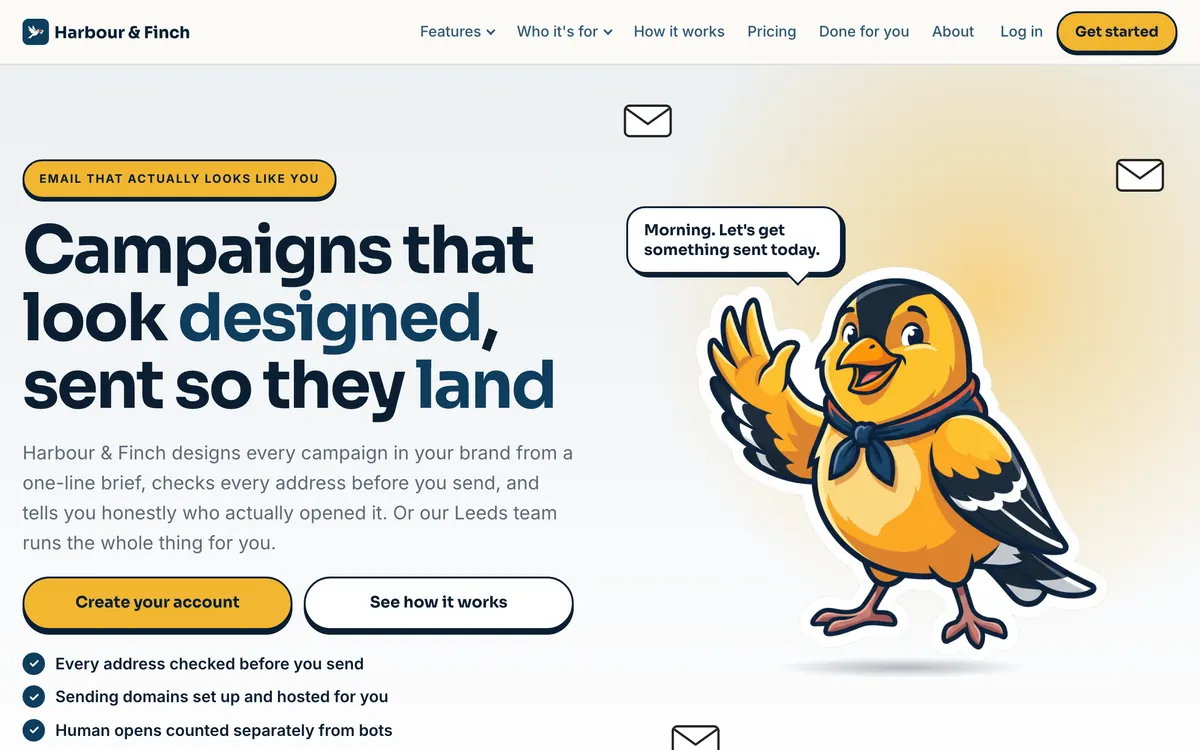
Playful
Bold outlines, chunky buttons, bright bands and a mascot with personality. Suits: friendly brands with a mascot.
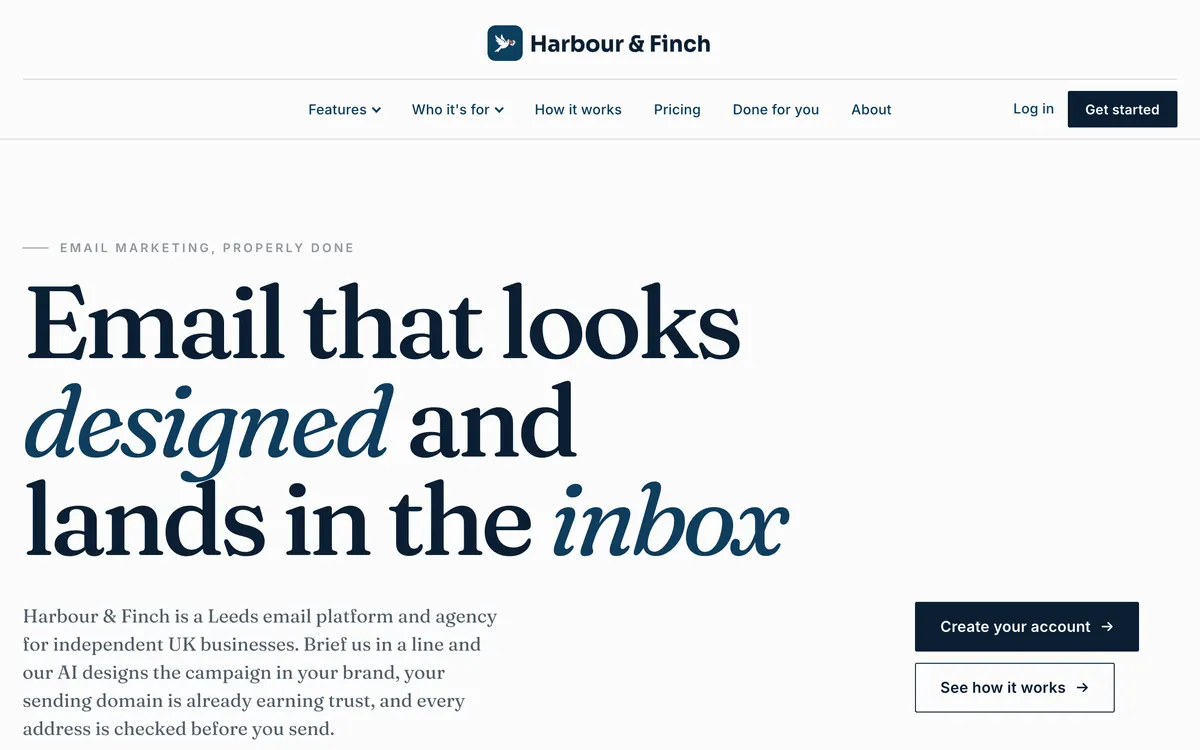
Editorial
Serif headlines, real photography and hairline rules: a magazine about the business. Suits: agencies and consultancies.
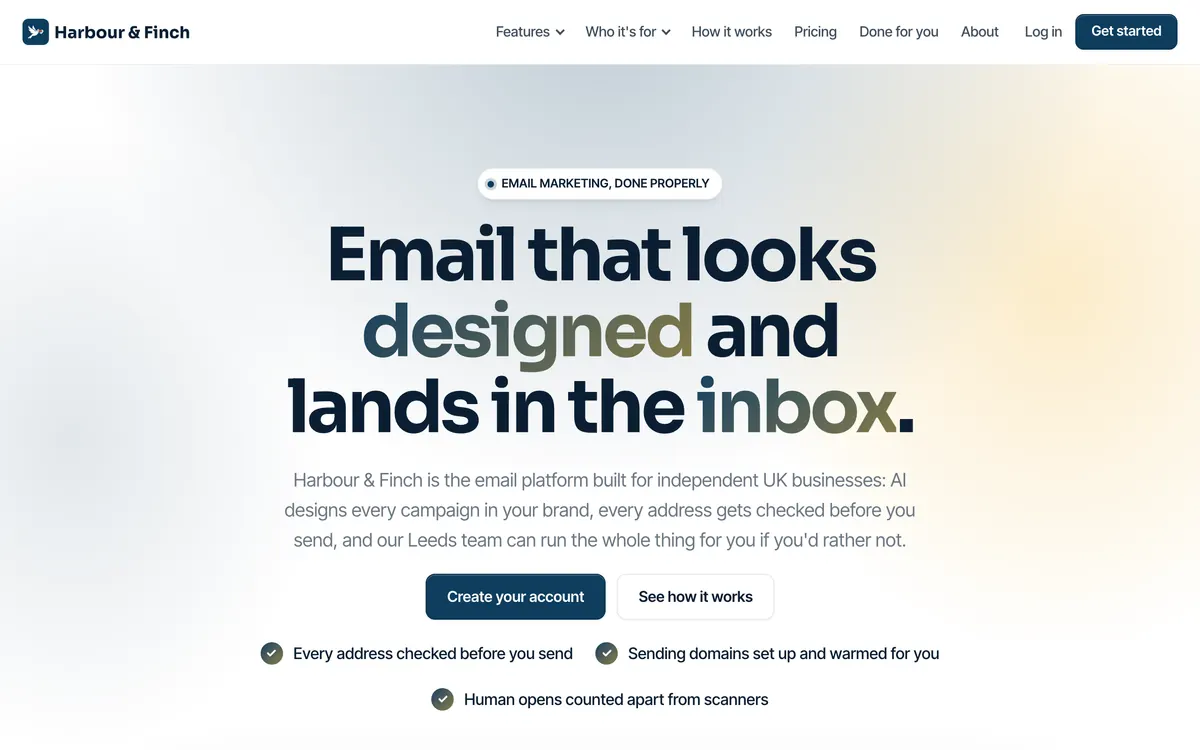
Polished
Premium software: soft gradient light, crisp cards and a big product view. Suits: looking like a software company.
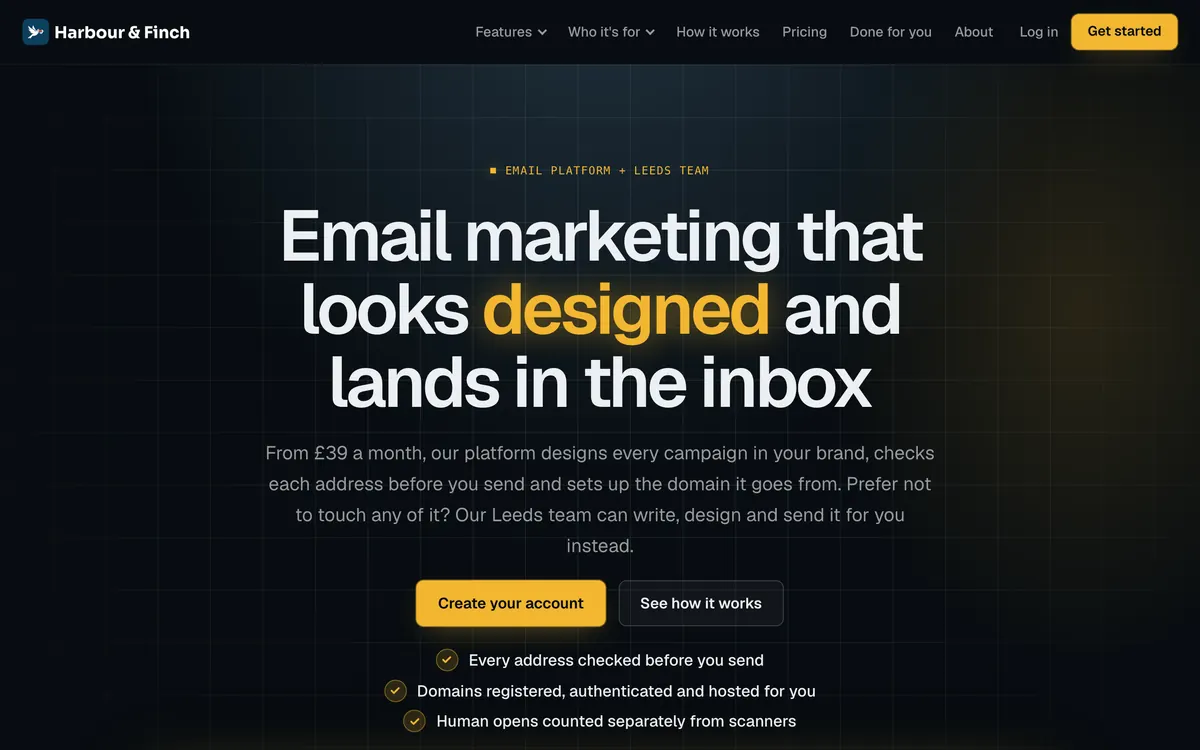
Technical
Dark and precise: luminous accents, grid lines and monospaced detail. Suits: deliverability, data and ecommerce.
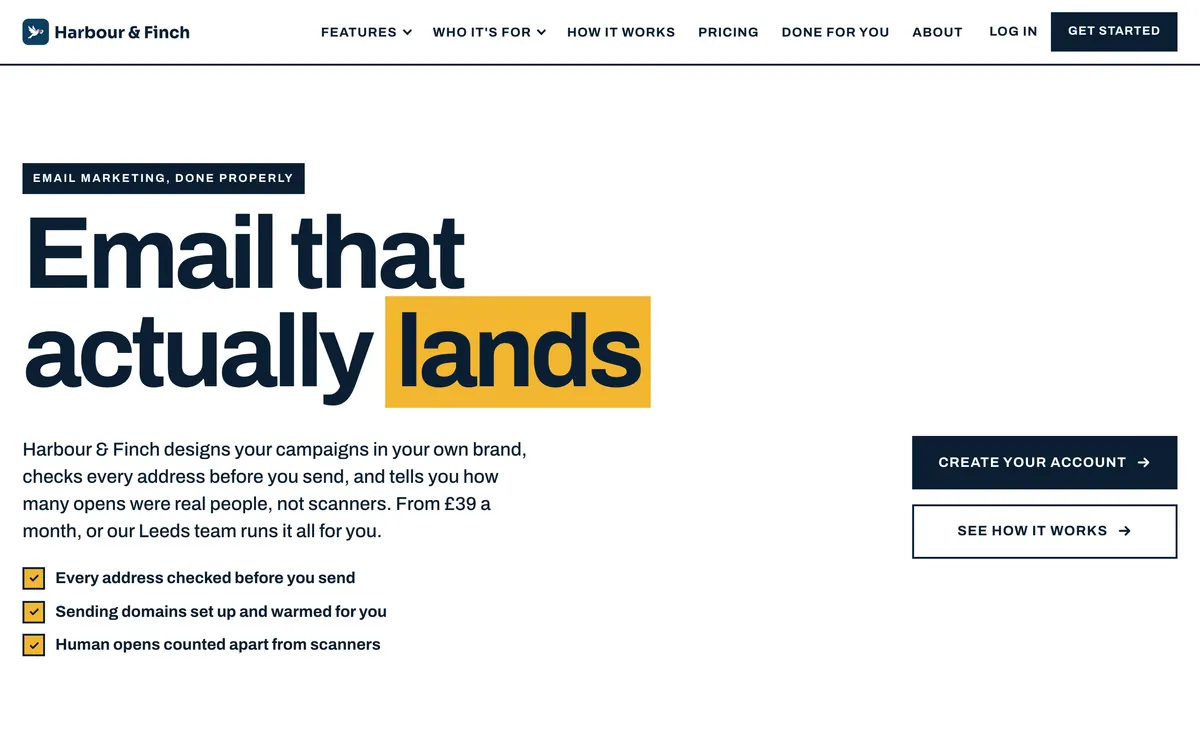
Bold
A poster: huge type, solid colour blocks and sharp corners. Suits: retail, events and hospitality.
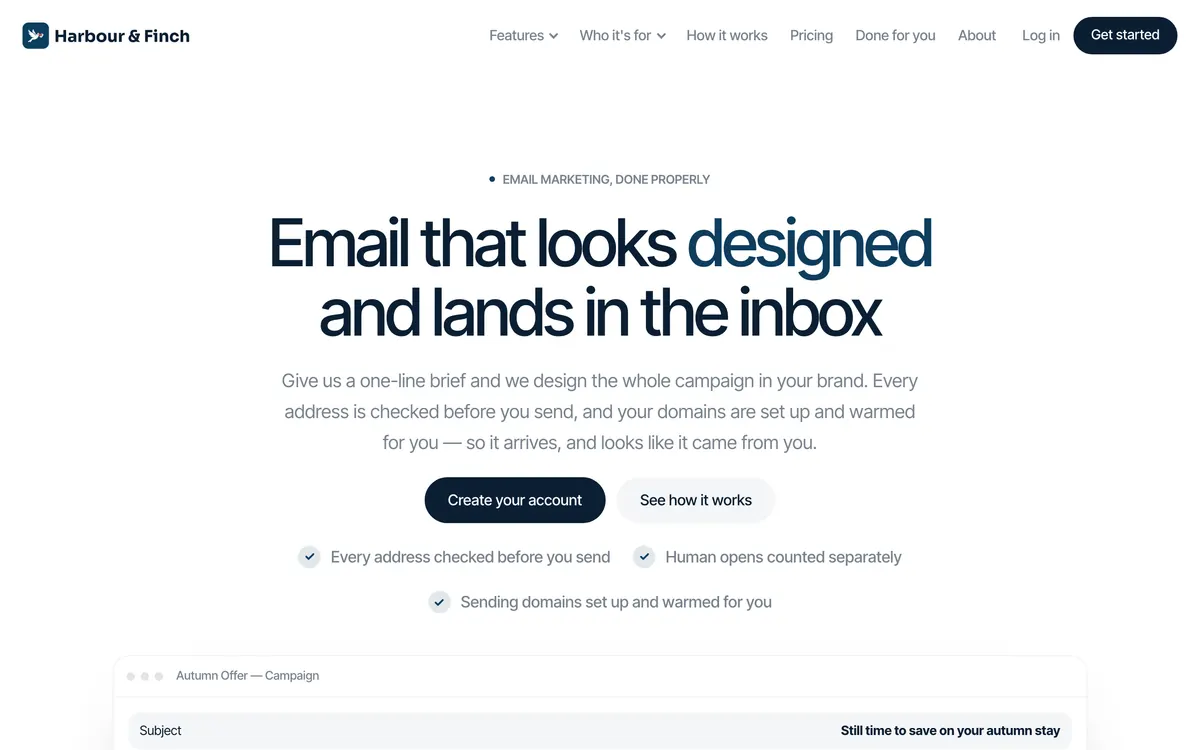
Minimal
Quiet and refined: light headlines, generous space, nothing shouting. Suits: wellness, finance and health.
Example · Harbour & Finch is a fictional partner; this was made by the product, with the code partners use. Pip leads in Playful; the other five are shown without the mascot, which any partner can choose.
Start with a brief, not a blank page
Seven steps, each saved as you go: your brand, your logo and icon, your mascot, your market, the style, the plan, and the pages. Point it at your current website and it reads your colours, fonts, voice, audience and proof from it, for one credit. Tell it who you sell to, your offer, why you, the industries you serve (each gets a page of its own) and whether you run campaigns for customers.
Nothing is invented. The builder states only the platform’s real features and the facts you give it: no made-up statistics, testimonials or prices.
- Reads your current site for colours, fonts and voice
- Each industry you serve becomes its own page
- Every step saved: leave and come back
Illustration · a fictional partner, sample figures
An art director proposes three directions. You choose one.
Before a word is written, an AI art director reads your brief and proposes three directions in three different design languages. Each is named for your business, with the reason it suits you, its typefaces, spacing and movement, how the mascot and photography are used, and a note every page is then written to. Each is shown as the top of your own home page, in your brand. Directions cost nothing: suggest three more, or see all six styles.
The Finch Flock Playful
Your customers trust a friendly voice over a corporate one, and Pip gives Harbour & Finch that voice without losing the proof underneath.
Mascot everywhere · lively · mixed imageryThe Independent Business Journal Editorial
Clinics, estate agents and guesthouses want marketing that reads like expertise, not a template; this gives the advice the weight of a trade publication.
Mascot as an accent · subtle · photographyThe Branded Send Console Polished
Owners weighing up a new tool want to see the dashboard before they trust the claims, so the platform itself is on screen.
No mascot · subtle · product viewsExample · Harbour & Finch is a fictional partner; this was made by the product, with the code partners use. The names and reasons are the art director’s own, for this partner.
Twenty-eight pages, every one of them long
Long-form is the standard, because long pages are what rank and what persuade. A home page is written to around 1,500 words, a feature page to 1,200, the country guide to 2,200, and a page that falls well short is sent back. Each section has to contain what makes it that section: a FAQ has at least six real questions, a pricing section has the live plans, a form section has the form.
Every page passes copy discipline before it is saved: one headline, calls to action that name the outcome, and none of the words buyers have learned to skip.
- Home 1,500 words, features 1,200, the guide 2,200
- Twelve feature pages, one per platform feature
- FAQs with six or more real questions

Example · Harbour & Finch is a fictional partner; this was made by the product, with the code partners use · scroll inside the frame
Example · Harbour & Finch is a fictional partner; this was made by the product, with the code partners use
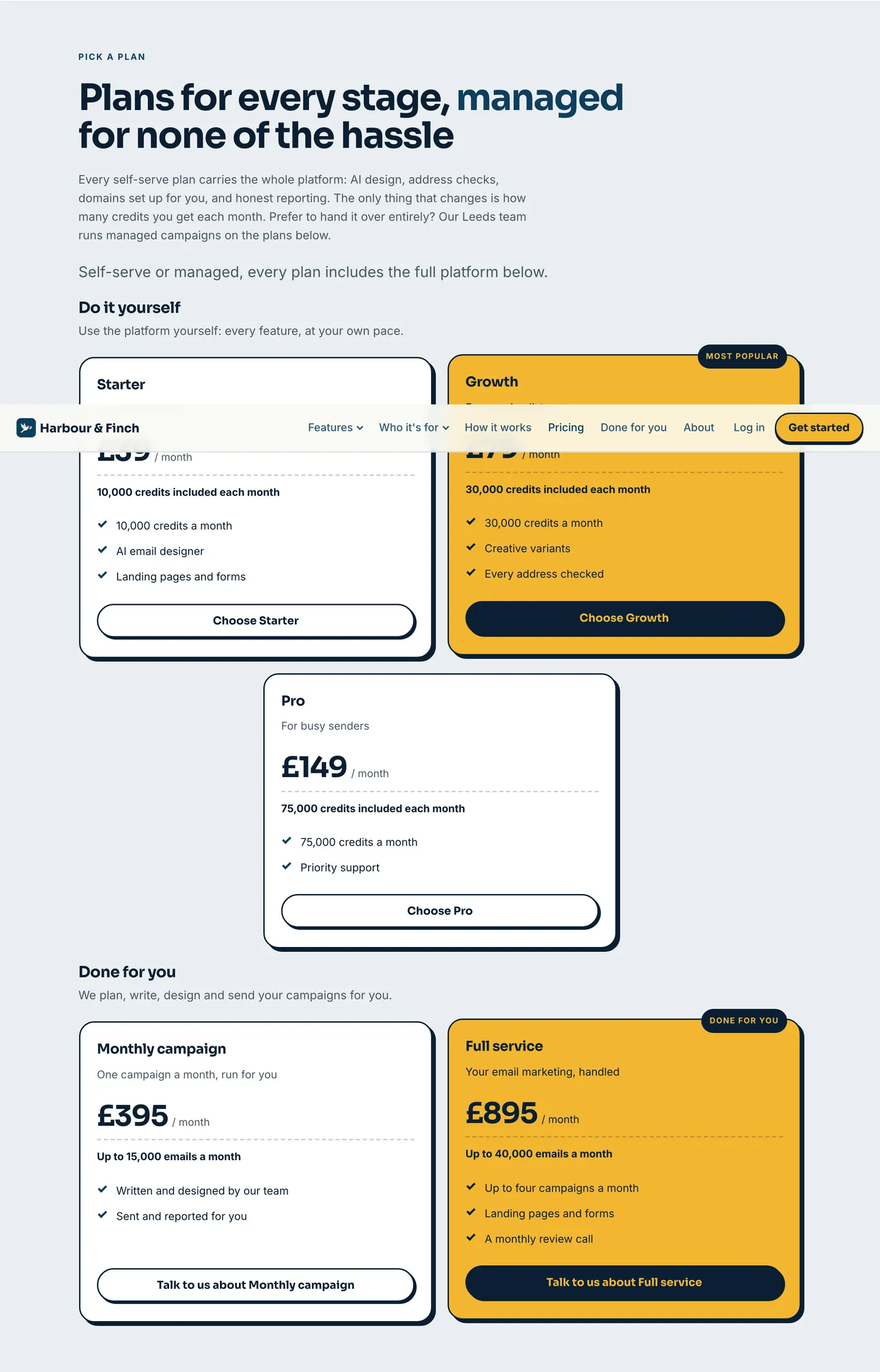
Pricing that keeps itself current
The pricing block is drawn from your live plans every time the page is served, so a new price, a new plan or a hidden one shows without rewriting anything. Self-serve plans and managed plans sit in two groups, “Do it yourself” and “Done for you”: a self-serve card goes to your sign-up page with the plan chosen, a managed card goes to your contact page.
Prices are in the currency you sell in, written the way your buyers read them (NZ$49, A$1,499, £39), with thousands grouped.
- Live plans on every page view
- Self-serve and done-for-you, side by side
- Your currency, written properly
Refine anything, by hand or by instruction
Open any page in the studio and edit it like a document: click a heading, change it, move a section. Or ask: choose a kind of change (shorter, more substance, warmer, plainer, fix the spelling, add a call to action, update the details, add a section, adjust the styling) and the page or one section is rewritten, with your hand edits kept exactly as you made them.
Every change is a new version. Open the history to see what changed and when, and restore any earlier version; restoring is itself a new version, so nothing is ever lost.
- A visual editor for every page
- Nine kinds of AI rewrite, page or section
- Full version history with restore
Illustration · a fictional partner, sample figures
Illustration · a fictional partner, sample figures
Preview privately, then go live on your domain
Until you are ready, the site lives on a private preview: password-protected, or open with search engines told to stay away, with links you can share that carry the key. Then choose the address: your bare domain, www, or a subdomain, with www redirected if you like. If one of your verified sending domains covers it, there is nothing to prove; otherwise one TXT record does.
Before the switch, a checklist: a page published, the domain serving over HTTPS, the redirect, your app address set so every sign-up button works, and a title and description on every page, written for you from each page’s opening lines if any are missing.
- A private preview with shareable links
- Your domain, proven before anything is touched
- A go-live checklist that fixes what it can
Example · Harbour & Finch is a fictional partner; this was made by the product, with the code partners use
Your brand, everywhere, from one place
The brand you make in the builder (logo set and app icon, mascot and poses, colours, fonts and design language) is your whole business’s brand. Your portal wears its logo, colours and favicon. Your Brand kit draws over thirty files from it: profile pictures, covers, posts, ads, an email header, cards, letterhead, a one-pager, a pricing sheet and a brand guide. And your customers’ referral graphics are drawn in it too.
Change the brand here and all of it follows.
- The portal wears the same brand
- A Brand kit of over thirty files
- Your customers’ referral graphics, in your website’s look
Found by search, and good-looking when shared
Every page carries what search engines and social apps read: a title that names your brand, a description written from the page itself, a canonical address, Open Graph and Twitter cards, and structured data describing your organisation, the page and its questions and answers. The site publishes its own sitemap and robots file, and an RSS feed for articles.
Links shared anywhere show your share image: your colour, your logo, your one-line promise and your mascot. Each page can have its own, with its headline and the mascot in the pose of its hero.
- Titles, descriptions and structured data on every page
- Sitemap, robots and RSS
- A share image for the site and for each page
Example · Harbour & Finch is a fictional partner; this was made by the product, with the code partners use

Example · made by the website builder for a fictional partner · scroll inside the phone
Written for phones first
Every stylesheet starts with the phone and adds space for bigger screens, so the site is designed for where most of your visitors are, not squeezed into it afterwards. Menus fold into a tap, grids stack, and every button is big enough for a thumb.
Movement is part of the design: a mascot that hops, cards that lift, counters that count up. Visitors who ask their phone for reduced motion get a still page.
- Mobile-first, in all six languages
- Movement you choose: lively, subtle or still
- Still for anyone who asks for less motion
Written while you get on with your day
Approve the plan and the pages are written on our servers, three at a time. Close the tab, shut the laptop: the run carries on, a page that fails is tried once more, and your dashboard’s bell tells you when every page is done, or why it paused (if the credits ran out, say, it stops starting new pages and tells you, and Continue picks up where it left off).
Each finished page lands on your private preview, ready to read, refine and publish.
- Three pages at a time, on our servers
- Carries on with the tab closed
- Tells you when it is done, or why it paused
Illustration · a fictional partner, sample figures
Illustration · a fictional partner, sample figures
Enquiries come straight to you
Every site has a contact form with a message box, protected from spam by a signed form token, a hidden honeypot and a limit at the edge. Each enquiry lands in the builder’s Enquiries tab, and the people you choose are emailed from one of your verified sending domains.
Visitors can also be asked to join a list, if you switch it on.
- A contact form on every site
- Spam kept out without a puzzle to solve
- Notifications from your own domain
The pages every partner’s website starts with.
The model tailors the titles and what each page is for. It cannot drop a page, so every site is complete. Header menus and the footer link all of it.
//features
/features/ai-email-design
/features/sending-domains
/features/email-verification
… nine more/who-its-for/dental-and-health-clinics
/who-its-for/estate-agents
… one per industry/how-it-works/pricing/managed/guides/email-marketing-in-the-united-kingdom/compare
/about
/faq
/contactBetween 21 and 30 pages, depending on how many industries you serve and whether you publish plans and a managed service. A partner who sells only a managed service gets the whole site written as a service: “Services” for features, and every button books a call.
Free to switch on. Credits only for the writing.
The builder is part of the platform. The work the AI does is paid for in the same credits as the rest of the platform, at today’s rates on the right. A 28-page site is 280 credits. Anything that fails is never charged.
Publishing, editing by hand, the theme, navigation, search settings, restoring a version and composing the brand kit cost nothing.
A website is a sales channel. This one runs itself.
Credible on day one
A buyer who lands on your site finds what they would find at a funded software company: every feature explained, their industry addressed, real prices and straight answers.
Search traffic that compounds
Twelve feature pages, a page per industry and a long country guide give search engines something to rank, and every page is built to be found.
Nothing to maintain
Plans and prices update themselves. A header change is applied to every page in one go. The site keeps up with the business.
Website builder questions
How long does it take?
The questions take about as long as a good conversation about your business. Then the pages are written on our servers, three at a time, while you do something else. Closing the tab does not stop them, and your dashboard tells you when they are done.
Do I need a designer or a copywriter?
No. The builder plans, writes and designs the site from your answers. If you have a designer, they can refine any page in the studio.
Can I change what it writes?
Yes, everything. Edit any page by hand in the studio, or ask for a rewrite of a page or a section. Your hand edits are kept, and every version is saved.
Will the pages mention SendTo?
No. Every page is written under a white-label rule (your name, your platform, your brand) and a page that names the platform behind it is refused.
Can I use my own domain?
Yes: your bare domain, www or any subdomain. If one of your verified sending domains covers it, there is nothing extra to prove; otherwise you add one TXT record. Go live checks what already lives on the domain and never replaces an existing site unless you confirm it.
What happens when my plans change?
The pricing page shows your live plans every time it is served, so it changes when your plans do. Change the header or footer once and apply it to every page.
Which countries does it write for?
Australia, New Zealand, South Africa, Canada, the United Kingdom, Ireland and the United States, each with its own spelling, currency, email law and regulator, which the country guide and the FAQ cover.
Can I add pages of my own?
Yes. Choose a kind of page (sales page, landing page, service page, case study, portfolio, blog post and more), answer its questions and generate it, or create it to write yourself.
Can I switch it off?
Yes. Visitors see a holding page while it is off; your pages and settings are kept and come back when you switch it on again.
Does it write articles too?
Yes. The builder has an Articles section with an ideas backlog and a writing workspace, and published articles have their own feed.
A website that sells your platform, by the end of the week.
Brief it, choose a direction, approve the plan. The builder does the rest, on your domain, under your name.
No contract · Cancel any time · Explore everything before you pay