An online shop for every client who sells, with the money paid straight to them, under your name.
Your client’s products come across from the shop they already have, or are added one by one with the words written for them. Buyers pay by card through the client’s own Stripe, or in the other ways the client chooses, and every order is followed from paid to sent in one place. There is no cap on shops or orders, and your clients see your name on it, never ours.
June sold her last blue vase at 9:40 on Friday night. Two people wanted it. It sold once.
One potter’s shop, from the move off her old store to a parcel on its way, on a sample workspace.
June Alvarez throws and glazes stoneware by hand in Asheville, and opens her studio to visitors on Saturdays. Your agency already sends her emails. This month you add a shop to what you sell her, and she brings her products across from the Shopify store she has kept since she started.
Forty-six products, brought across in one go
June presses Import products and points it at her old store. Before anything moves, she sees which products are new, which would update ones already there, and which are already current. Her collections come too, and every product and collection gets its own page. Three mugs she never priced come in as drafts, so nothing goes on sale without a price, and the addresses of her old product pages point to the new ones.
How she delivers, and how she gets paid
In Shop settings she sets her currency, with tax inside her prices. Delivery is one flat rate, with pick-up from the studio on Saturdays beside it. Cards are paid through her own Stripe account, on Stripe’s own page, so the money goes to her. She adds pay on pickup, with her own instructions, for the people who like to collect in person.
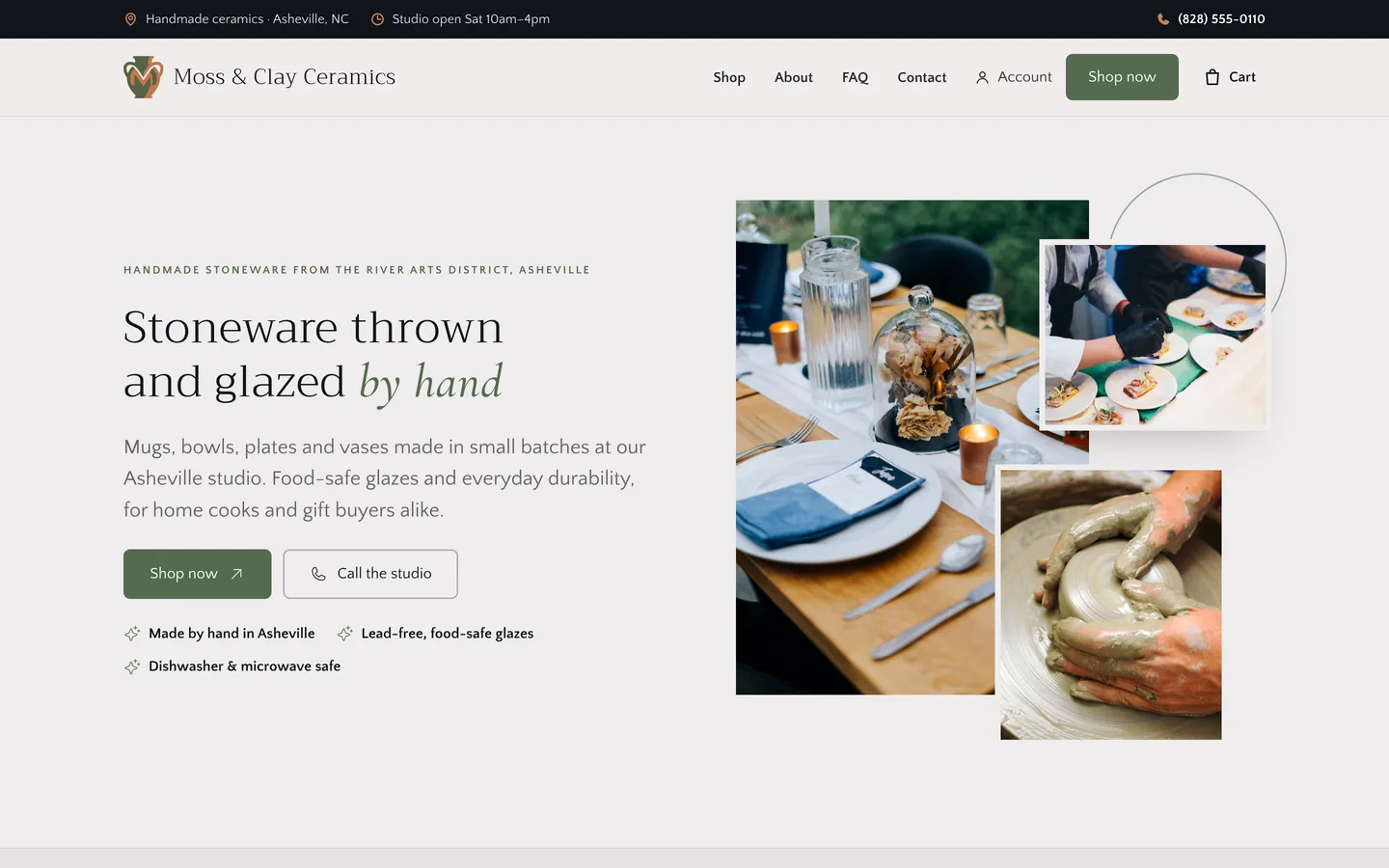
Friday, 9:40pm: one vase, two buyers
June’s Friday email shows a blue vase, the last of its glaze. Two people put it in their carts within a minute of each other. At checkout the cart is checked again and the stock taken in the same step, so the vase can sell once. The first buyer pays by card, and the order counts as paid only when Stripe confirms it. Then she gets her confirmation email, and June gets the order notice.
Had the buyer closed the page without paying, there would be no order, and the vase would have gone back on sale.
The money went to June’s own Stripe account. The shop, the orders and the screens she runs it from carry your name.
Saturday: sent, collected, done
On Saturday morning June opens Orders. The vase is shipped: she marks it sent with the carrier and the tracking number, and the buyer is emailed both. A second order is collected at the studio and paid in person, so she marks it paid and done. Every order keeps its own timeline: when it was placed, paid and sent, with any notes June added.
New pots, and an email about them
When the next batch comes out of the kiln, June adds the pieces one by one. Write it for me writes each description, summary, highlights and search listing from what she types. Track stock counts them down as they sell, and each piece’s weight works out its delivery. Email this product writes four emails about the new range from its own details, and opens them as a campaign draft for her to send.
That is one shop. Every client you bring can sell the same way, and there is no cap on how many.
Four films: what the shop does, how buyers pay, and how to build one and add a product.
Each is the real platform, on a sample workspace.
A shop, ready to publish: what is left to do, the orders waiting, and a link to preview it.
This is the screen your client uses, at your domain, under your logo.
- Products, orders, customers, pages, articles and enquiries, each on its own tab, with settings and Go live beside them.
- Orders to deal with. The list of orders refreshes every minute, so a new one shows without reloading.
- Import products from Shopify, WooCommerce or a spreadsheet, or add them one by one.
- Shop settings: delivery prices, pick-up, how buyers pay, and the tax on the prices.
- The preview address. Only people with this link can see the shop before it goes live.
- Go live when the list is done. The shop opens at a free address, and their own domain can follow.
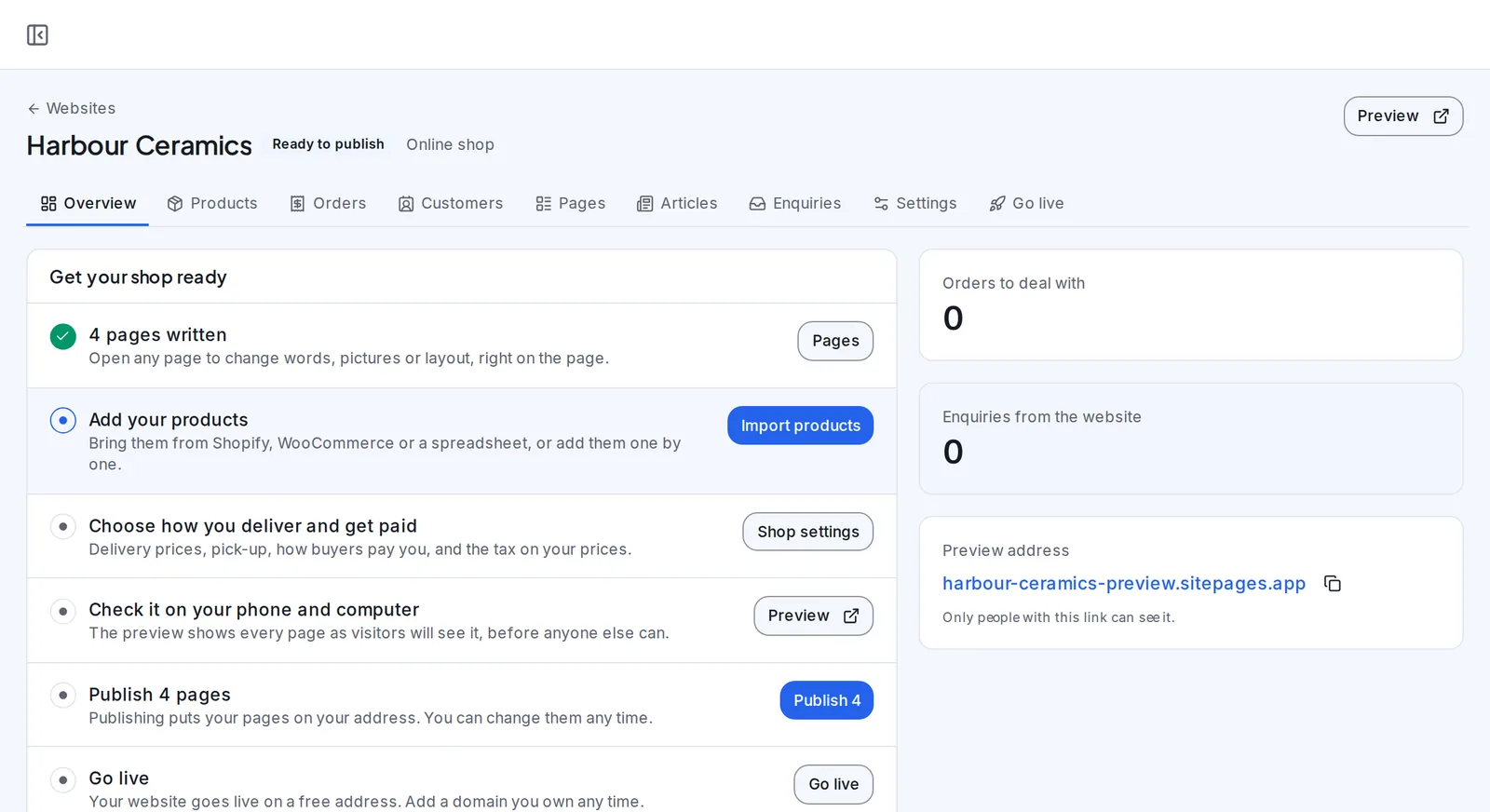
A sample workspace. The businesses on this screen are demo data.
Products, collections and orders, on the client’s own website.
Every product and collection has its own page on the site, with stock tracked and drafts kept off sale until they are ready.
Orders arrive in one list, by state, with search, and the list refreshes every minute.
- A page for every product
- Drafts kept off sale
- Orders by state, refreshed every minute
Cards through their own Stripe, and the other ways they choose.
Card payments go through the client’s own Stripe account, on Stripe’s page, and the money goes straight to them. An order counts as paid only when Stripe confirms it.
Bank transfer, pay on pickup and cash on delivery can sit beside cards, each with the client’s own instructions.
- Their own Stripe account
- Paid only when Stripe confirms
- Bank transfer, pickup or cash
A shop from a brief, with the products brought across.
Answer the brief and pick a look, and the shop’s pages are written and designed. Import products from Shopify, WooCommerce or a spreadsheet, and see what is new before anything moves.
Set delivery and payments in Shop settings, check it on a phone and a computer, and go live.
- Products brought across
- Delivery and payments set once
- Checked on a phone and a computer
A product, with its words written for them.
Add the name, price and photos, and Write it for me writes the description, summary, highlights and search listing.
Track its stock, set its weight for delivery, and Email this product writes four emails about it as a campaign draft.
- Words written from a few details
- Stock and weight
- Four emails about it
A shop your clients would otherwise pay six places for, unlimited, under your name.
Each line comes with the plans you include websites in, for every client you bring. On the right, the kind of tool a business usually pays for to get the same job done.
| In SendTo | Instead of |
|---|---|
| Unlimited shops and orders, on the client’s own website | Shopify or BigCommerce |
| Products and collections brought across, old addresses kept | A migration app |
| Every description and search listing written for them | A copywriter |
| Cards through their own Stripe, and bank, pickup or cash | A payments plugin |
| Four emails about any product, as a campaign draft | An email marketing app |
| Your name and logo on every screen your client sees | A custom build |
| Every one unlimited | One flat fee |
What you might be thinking, answered straight.
“My client already sells on Shopify.”
Their products and collections come across from the store they have, and they see what is new and what is already current before anything moves. The old product addresses point to the new pages.
“Where does the money go?”
Straight to your client. Cards are paid through their own Stripe account, on Stripe’s page, and the other ways they take payment are theirs too.
“What if two people buy the last one?”
It sells once. The cart is checked again at checkout and the stock taken in the same step. Someone who leaves without paying never becomes an order, and the stock goes back on sale.
“My clients don’t have time to write product pages.”
Write it for me writes the description, summary, highlights and search listing from a few details, and they change any word. Email this product writes four emails about it.
“Is there a catch in “unlimited”?”
No cap on shops or orders, for any client. The shop comes with the plans you include websites in, and the AI writing and the sending are usage, which your clients buy at the rate you set.
“I want to see it before I decide.”
The films on this page are the real platform, start to finish. Then open the account: no card, a sample workspace to look around, and you pay only when you activate.
The shop, answered
What is in the online shop?
Products and collections, each with its own page, a cart and checkout, payments, delivery, and orders followed from paid to sent. It sits on the client’s website, beside its pages and articles.
Can they bring products from another shop?
Yes. Import from a Shopify or WooCommerce store, or from a spreadsheet. Before anything moves they see which products are new, which update ones already there, and which are already current. Collections can come too.
What happens to products with no price?
They come in as drafts, so nothing goes on sale without a price.
What happens to the old shop’s addresses?
They point to the new pages, so links already shared keep working.
How do buyers pay?
By card, through your client’s own Stripe account, on Stripe’s page. Your client can also take bank transfer, pay on pickup or cash on delivery, each with their own instructions.
Where does the money go?
Straight to your client: card payments to their own Stripe account, and the rest to them directly.
How does delivery work?
Your client names each way of delivering, sets its price and a note for checkout, and can add pick-up. They drag the options into the order buyers see, and a product’s weight works out its delivery.
How is tax handled?
Your client sets the shop’s currency, and whether tax is inside their prices or added at checkout.
What can they do with an order?
Mark it paid, mark it sent with the carrier and tracking number and email the buyer, add notes, or cancel it with a reason, which puts the stock back. Test orders are marked as tests.
What does checkout ask for?
The buyer’s details and how they want it delivered, with the phone number hidden, optional or required as your client chooses, a note on the order, and a box to join the email list.
Is there a limit on shops?
No. There is no cap on shops or orders, for any client. The shop comes with the plans you include websites in, and the AI writing and the sending are usage, which your clients buy at the rate you set.
Do my clients ever see the SendTo name?
No. Your clients run their shops at your portal, on your domain, under your logo, and each shop carries the business’s own name.
Do I need a card to try it?
No. Create your account and a sample workspace is ready when you confirm your email. Sending switches on when you activate.
The online shop, and everything else in the hub, unlimited. One plan. One flat fee.
Every client who makes something can sell it online, with the money paid to them and every order followed in one place, under your name, with no cap on how many shops. Open your account free and look around a sample workspace.
No contract · Cancel any time · Explore everything before you pay