
Today is Thursday 1 May 2025, and US Mother's Day is Sunday 11 May. If you've been searching for mother's day email campaign ideas small business owners can still use this week, this is the plan we'd give you. Send four emails over ten days, on Friday 2, Tuesday 6, Thursday 8 and Saturday 10 May. Starting today isn't too late. It works as long as each email after the first goes to a smaller group of people, chosen for a reason.
Friday's gift guide is the only email your whole list gets. After that, what each person did with it decides what they hear next. People who clicked get the last-order date for the price band they picked. People who opened but didn't click get the cutoff and your best seller. People who didn't open get a fresh subject line built around the date. Anyone who buys drops out of every later email. The old way is to send the same email to the whole list four times, and it loses you subscribers in May that you'll want back for Father's Day and the summer.
This is written for salon owners, florists and shop owners, and for the agency or freelancer who runs email for them. You get a ten-day calendar, the idea that fits each trade and six steps. Each step tells you what to do, what you should see afterwards and the mistake to avoid.
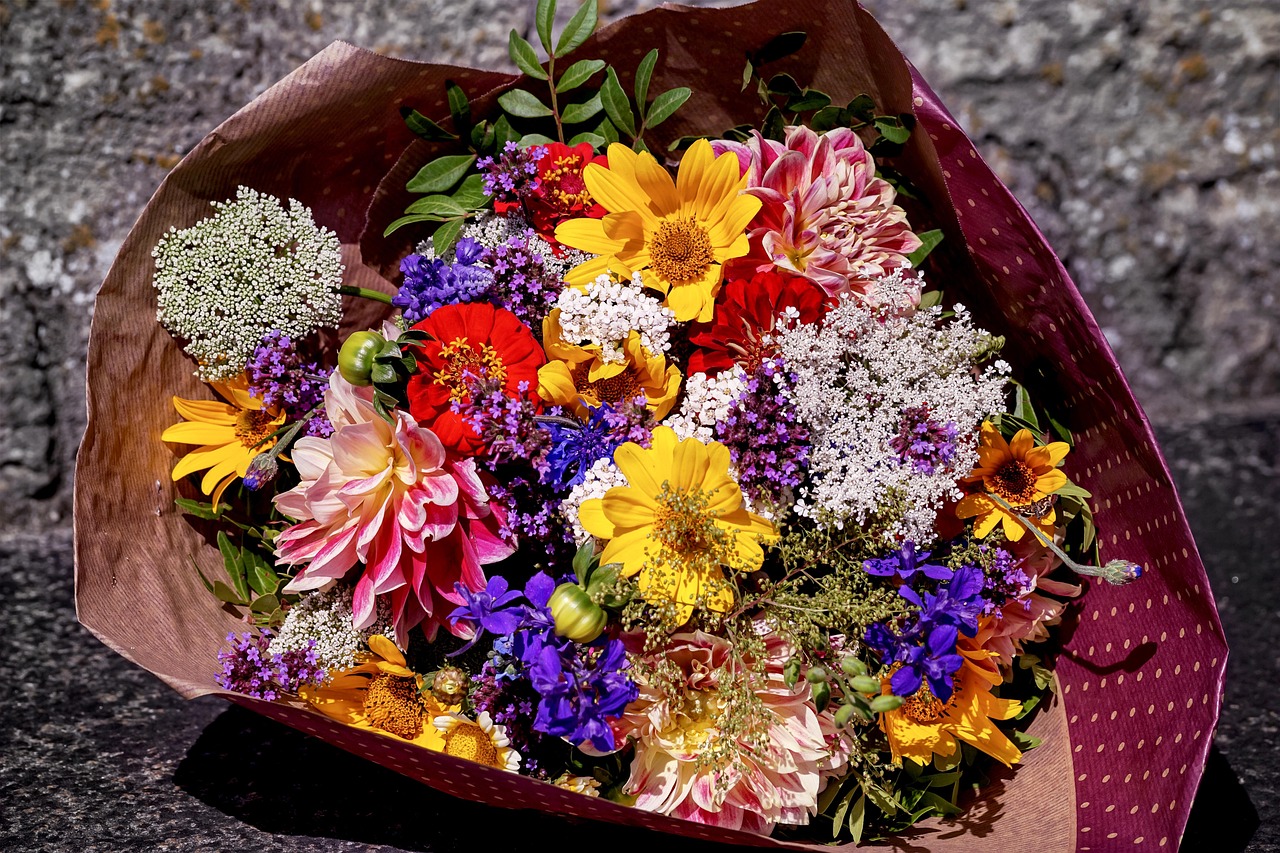
By Sunday 11 May you will have sent four emails, built three segments and kept a list you can use again
Here's what you'll have on Monday morning. Four emails sent. Three segments built from real behaviour: people who clicked, people who opened without clicking and people who didn't open. A suppression list of everyone who bought, so nobody who already ordered flowers gets told to order flowers. You'll also have a dated record of what each email did, and that record is next year's plan already half written.
Each email goes to fewer people than the one before it. That's the point of the plan, so don't treat it as a side effect. Smaller sends mean fewer unsubscribes and fewer spam complaints, and a list that still trusts you in June. They also mean every email talks to someone who has already told you something about what they want.
What you need before you start today
Gather these six things before you write a word of copy. If one is missing, sort it out this morning, because every later step depends on it.
- A list you have permission to email, ideally cleaned of dead and risky addresses before Friday's send.
- Your real cutoff dates and times: last delivery order, last bookable slot, last click-and-collect time and Sunday opening hours.
- One offer or gift range. That means three to six gifts, not your whole catalogue.
- A shop, booking or order page for each gift, so every button goes somewhere specific.
- A sending domain that's already warmed up. This is the wrong week to start sending from a new one.
- A way to mark who has bought, whether that's a tag, an exported order list or a spreadsheet of email addresses.
If you're unsure whether your list needs a clean, we've covered is email list cleaning legitimate and what it actually removes. Short version: cleaning gets rid of addresses that bounce and addresses that trap senders. It won't bring back people who've stopped caring, which is a job for segments.
The ten days at a glance
| Date | Who receives it | Goal | |
|---|---|---|---|
| Thu 1 May | Set cutoffs, send the opt-out | Whole list (short note) | Fixed dates, and the people who want out are suppressed |
| Fri 2 May | Gift guide | Whole list, minus opt-outs | Clicks on specific gifts and price bands |
| Mon 5 May | No send, build segments | None | Three groups, and buyers removed |
| Tue 6 May | Last-order reminder | Three versions, one per segment, buyers removed | Orders before the delivery cutoff |
| Thu 8 May | Pickup and booking push | Clickers and openers who haven't bought | Collection orders and appointments |
| Sat 10 May | Final-day message | Short list of interested people who haven't bought | Late voucher and gift card sales |
| Mon 12 May | Review | None | A scorecard for each email and next year's draft |
Mother's Day email campaign ideas for small businesses work best when they match how the trade actually sells
A salon sells time. A florist sells something that wilts. A shop sells things that sit on a shelf until someone picks them up. Your Mother's Day emails should follow the way your trade takes money, because that decides which cutoffs matter and what you can still sell on Saturday.
Salons sell vouchers, paired bookings and the last Saturday slots
Lead with treatment vouchers, because they can be bought right up to Sunday and handed over in a card. Add a mother-and-daughter booking, meaning two chairs side by side at one time. It's the idea people reply to. Later in the week, your best email is a plain list of the Saturday slots you still have, with a booking link next to each one.
Florists sell against the delivery cutoff, then Saturday collection
For a florist, the delivery cutoff is the campaign. Say it in hours and days, like "order by 2pm Thursday 8 May for Saturday delivery", and repeat it. Sort your arrangements by price so a buyer can pick a band in one glance. When delivery closes, switch to Saturday collection from the shop.
Local retailers sell by price band, gift wrapping and click and collect
A shop's gift guide works best in price bands, such as under 25, 25 to 50 and over 50. Offer free gift wrapping if you can, because it's a reason to buy from you and not a parcel site. Then click and collect carries you from Thursday to Saturday.
Step 1 (Thursday 1 May): Set your real cutoffs and send the opt-out before writing any campaign copy
Start with the dates, not the words. Write down four things and check each one with whoever does the work. That's the delivery driver, the stylist rota or the person packing orders. You need the last time someone can order for delivery, the last bookable slot before Sunday, the last time for click and collect, and your Sunday opening hours. If you're closed on Sunday, write that down too. Every email from Friday onwards will quote these, so they have to be true now.
Then send one short, kind email today. Tell people Mother's Day emails are coming and give them a single link to skip those emails only. They'll keep getting everything else from you. Mother's Day is hard for some people, and a quiet way out is something they remember. Keep it to three or four sentences. No flowers, no photos, no offer.
What you should see: a handful of opt-outs over the next day. Those people now sit on a suppression list and are left out of every send from Step 2 to Step 6. They stay on your main list for everything else.
Step 2 (Friday 2 May): Send the gift guide to the whole list with a separate link for every gift
This is the one email everybody gets, apart from the opt-outs. Pick three to six gifts and group them by price. Give each gift its own short description, its own button and its own link to the right page. A florist's guide might show a posy under 30, a hand-tied bouquet from 30 to 60 and a hatbox arrangement above 60. A salon's guide might show a voucher, a paired booking and a gift set from the retail shelf.
The separate links do more than send people to the right page. A click on "under 30" tells you which price band that person is shopping in, and Step 4 uses that. One shared "shop now" button tells you only that somebody was mildly curious.
Build the email as live HTML with real text and real buttons. Don't send one big image, however tempting the poster from your printer looks. An image-only email gives you one link, so you can't tell clicks on one gift from clicks on another. It also loads as a blank box for anyone with images turned off, and it looks more like spam to mailbox providers.
In SendTo, you write a short brief and choose your brand preset, and it designs the HTML email in seconds. If the first layout isn't right, one click remixes it. Before launch, the built-in reviewer checks the subject line, structure, language, links and basic compliance. It flags a dead button before your customers find it. The reviewer won't know your cutoff changed this morning, though. Checking the dates is still your job.
What you should see: clicks spread across your gifts, usually bunched on one or two price bands. Send it Friday morning so people see it before the weekend.
Step 3 (Monday 5 May): Split the list into clickers, people who opened without clicking, and non-openers
Monday is a build day, with no send. Take the gift guide and make three segments from it. Clickers are anyone who clicked any gift link. Openers are people who opened the email but didn't click. Non-openers didn't open it at all. In SendTo, you build segments from clicks, unclicked opens and non-openers on past campaigns, so you're choosing a campaign and an action, not exporting spreadsheets. Then take everyone who has already bought out of all three segments.
Clickers are worth splitting further by the link they clicked, at least by price band. That's why every gift had its own link on Friday. Someone who clicked the over-60 hatbox gets a different Tuesday email from someone who clicked the posy.
SendTo's reports leave out opens triggered by security scanners, so the opened segment is based on real people opening the email, not a corporate filter checking links. That makes it cleaner than a raw open count. Still, some mail apps download images in the background whether the person reads the email or not. Treat an open as a hint and a click as the real signal. If you only have budget for one targeted email, spend it on clickers.
What you should see: three groups of very different sizes. Clickers are the smallest, openers sit in the middle and non-openers are often the largest. Buyers are removed from all three. If your clickers segment is tiny, that's normal. Those are the people most likely to order before the cutoff.
Step 4 (Tuesday 6 May): Send the last-order reminder in three versions, one for each segment
Tuesday's email is about one date, the cutoff. You're writing it three times, once for each segment, and each version says something different because each group told you something different on Friday. Take out buyers from all three before you schedule anything.
Clickers get the price band they clicked, plus the cutoff. If someone clicked the hand-tied bouquets from 30 to 60, show them those two or three bouquets again and one plain line, "Order by 2pm Thursday 8 May for Saturday delivery." A subject line like "Your bouquet, delivered Saturday if you order by Thursday" works because it picks up where they left off.
Openers who didn't click get the cutoff and your single best-selling gift. They looked and nothing grabbed them, so don't show them the whole range again. Show them the one thing other people are buying, with one button.
Non-openers get a new subject line built around the date, not the products. Friday's subject didn't work for them, so changing the subject is the whole point of this version. Try "Mother's Day is Sunday. Last delivery orders close Thursday." The body is short, with the cutoff, three gifts and their links.
What you should see: a clearly higher click rate from clickers than from the other two groups, and a second chance at non-openers, a slice of whom open this one because the subject told them something useful. Orders should pick up on Tuesday and Wednesday as the cutoff gets closer.
Step 5 (Thursday 8 May): Push pickup and bookings to people who have shown interest but not acted
Once delivery has closed, stop talking about delivery. Thursday's email switches to whatever can still happen before Sunday. For a florist, that's Saturday collection from the shop, with the collection window in hours. For a salon, it's the Saturday slots you have left, each with its own booking link, plus vouchers for anyone who can't get a slot. For a shop, it's click and collect and free gift wrapping, with the last collection time.
This one goes only to clickers and openers who haven't bought. Non-openers sit this one out unless they opened Tuesday's reminder, in which case they've moved into the interested group. The list is shorter again, and that's the plan working.
Schedule it on Wednesday evening so it goes at a fixed hour on Thursday, say 9am. On a busy shop day you won't remember to press send at the right moment. If you're taking bookings or collection orders and don't have a page for it, build a simple landing page with the slots or the collection form, and point every button at it.
What you should see: collection orders and appointments coming in on Thursday and Friday, mostly from clickers. A salon owner should see the remaining Saturday slots fill up, and vouchers selling once they've gone.
The mistake is keeping the slot list in the email after the slots have gone. If you take bookings by phone as well, update the booking page before the email goes, so nobody clicks through to a slot that went at 8am.
Step 6 (Saturday 10 May): Send the final-day message on Saturday morning to a short list
Saturday's email sells what can still be bought on Sunday. That means digital gift cards and vouchers people can buy online and print or forward, plus your Sunday opening hours if you're open. A florist can add walk-in bunches until a stated time. A salon sells vouchers, because the chairs are full. A shop says what time it opens and that gift wrapping is still free at the till.
The audience is the shortest of the campaign. That's clickers and openers who still haven't bought, plus non-openers who opened Tuesday's reminder. Everyone else has either bought, opted out or shown no interest twice, and a fifth message won't change that.
Send it on Saturday morning, around 8 or 9am. People are still out shopping and still have time to buy. So should you send an email on Mother's Day itself? No. By Sunday afternoon the gifts are bought, and an email that lands during lunch with someone's mum reads as noise. Saturday morning gets the late buyers. Sunday gets you unsubscribes.
What you should see: a small run of late voucher and gift card sales on Saturday and early Sunday, and few or no unsubscribes. A short list of interested people rarely complains.
Check it worked on Monday 12 May by comparing each send with the one before it
Monday morning, pull the numbers for each email before you forget which one did what. For each send, write down the number of people it went to, clicks, orders and bookings it drove, unsubscribes and spam complaints. Then compare each email with the one before it. Did the audience shrink? Did clicks per person go up? Did unsubscribes go down?
Here's Ruth's scorecard. She runs a florist with a list of 2,400 people.
| Sent to | Clicks | Orders or bookings | Unsubscribes | Complaints | |
|---|---|---|---|---|---|
| Opt-out, Thu 1 May | 2,400 | 38 opt-outs | 0 | 2 | 0 |
| Gift guide, Fri 2 May | 2,362 | 214 | 41 | 9 | 1 |
| Last-order reminder, Tue 6 May | 2,321 in three versions | 268 | 63 | 6 | 0 |
| Pickup push, Thu 8 May | 612 | 121 | 34 | 2 | 0 |
| Final day, Sat 10 May | 388 | 74 | 22 vouchers | 1 | 0 |
Look at the pattern, not just the totals. The audience shrinks at every step and the clicks per person rise. Unsubscribes fall from nine to one. Ruth's list in June is nearly the size it was in April, and she knows which 255 people bought, which is her Father's Day starting list and next May's first segment.
If opens were low across the board, check deliverability first
If every email had low opens, including the gift guide, the copy probably isn't the problem. Your email is landing in junk. Check that your sending domain has SPF, DKIM and DMARC set up, and read why companies send from secondary domains, because a shared or brand-new domain drags everything down. If you send at volume, Outlook.com starts enforcing its bulk sender rules this month, from Monday 5 May. Senders who send over 5,000 messages a day to Outlook.com addresses without proper authentication see their mail filtered.
If you got opens but no sales, check the clicks and the page
Opens with few clicks means the email didn't give people a clear reason to tap. Look at which gift links got clicks and which got none. Clicks with no orders means the problem sits after the email, on a slow page, a confusing checkout or a cutoff that wasn't clear. And remember opens are a soft number. Some mail apps preload images, so judge the campaign on clicks, orders and bookings.
Agencies can run this plan for every local client and sell it as their own product
If you run email for local businesses, this calendar works for a salon, a florist and a shop in the same ten days. The dates are the same. Only the cutoffs, the gifts and the Thursday push change. In SendTo, you run all three under your agency's own brand, with your own portal and your own prices, so the client sees your product, not ours.
The sending side is handled for you. SendTo checks addresses before each send, warms up new sending domains, paces dispatch for each mailbox provider and spreads volume across several brand-matched sending domains so no single domain carries the full load. Each client sees real human opens, clicks and bookings in their own portal, with scanner opens left out. On Monday 12 May, the florist opens her portal and sees her own scorecard. You don't spend that morning exporting spreadsheets.
There's one honest limit. SendTo builds the segments and sends the emails, but it doesn't know a client's cutoff changed or that the salon took three phone bookings at 8am. Somebody still has to check the dates with the client each morning of a send. Budget twenty minutes per client per send day for that.
If you write for agency owners or recommend software to them, SendTo's affiliate programme pays you 20% of the partner subscription each agency you refer pays SendTo, every month that agency keeps paying. You never take a share of what the agency's own clients pay the agency. Attribution lasts 90 days from the first click, the first touch wins, and commission is paid monthly by PayPal. For plan costs, see the pricing page.
Know agencies running seasonal campaigns like this one for local clients? Refer them to SendTo and earn 20% of their partner subscription for every month they pay.
Join the SendTo affiliate programme