iOS 26 unknown sender filtering for business texts doesn't stop your appointment reminders arriving. What it stops is some customers hearing them arrive. Apple confirmed at its 9 September event that iOS 26 ships on Monday 15 September. With it comes a Messages setting that moves texts from numbers not saved in Contacts into a separate Unknown Senders list, with the notification switched off.
So a local business has two jobs this autumn. First, become a known sender for the texts customers actually need, like reminders and confirmations. Second, stop relying on SMS for promotions. Those belong in email, where you own the list and can see what lands. Agencies that make both changes for their clients before the November and December peak protect those clients' bookings at the busiest time of year.
This piece covers what changes on Monday and what doesn't. It also answers the four questions your customers will ask, gives you wording you can copy to get your number saved, and shows you how to rewrite a reminder so it reads as a transaction. After that come the move to email and a dated checklist running to November.
Your appointment texts will still arrive on iOS 26, but many customers won't be told they did
Delivery works the same on iOS 26 as it does now. What changes is the buzz, the banner and the badge. If a customer turns on Screen Unknown Senders and your number isn't in their Contacts, your text lands in the Unknown Senders list and sits there quietly until they think to look.
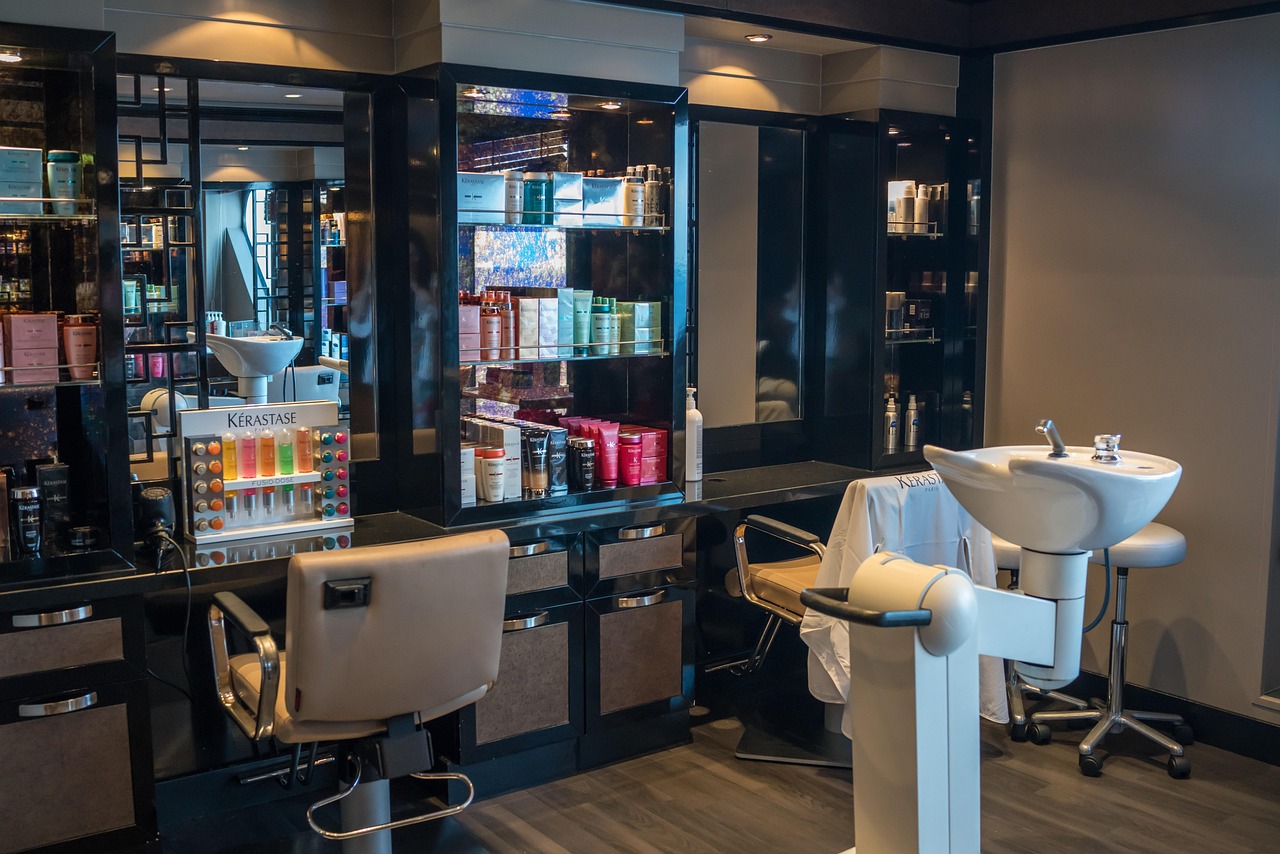
Picture a Thursday 10am colour appointment at a salon. The reminder goes out at 10am on Wednesday, as it always has. The customer's phone doesn't light up. She's busy, she forgets, and on Thursday the chair stays empty for two hours. A clinic loses a slot nobody else can fill at short notice. A garage has a ramp booked and no car on it. A reminder nobody sees does the same job as no reminder at all.
Keep this in proportion. The customer chooses this setting, and plenty won't touch it. It's also the second messaging change this year that local clients need to hear about, after Meta's plan to bring ads to WhatsApp's Updates tab. Neither one breaks your marketing. Both reward a business that adjusts early.
What iOS 26 actually changes in Messages and Phone, and what it leaves alone
Here's iOS 26 unknown sender filtering for business texts as Apple has described it this week. Nobody outside the beta programme can check every detail until Monday, so treat the finer points as what Apple says.
In the Messages settings there's a switch called Screen Unknown Senders. With it on, texts from numbers the customer hasn't saved go into a separate Unknown Senders list in Messages, reached from the filter button at the top of the conversation list. They don't trigger a notification. The customer opens the list, reads the text, and can mark the sender as known, which moves the conversation into the main list. They can also delete it or report it as junk.
Apple says it sorts filtered texts further, separating transactions such as orders and deliveries from promotions, with likely spam going to its own Spam folder. Your reminder and your 20% off Friday text don't land in the same place.
The Phone app gets a matching feature. Call Screening answers a call from an unknown number for the customer, asks the caller for their name and the reason for the call, and only rings the phone once they've answered, showing the customer what was said. So yes, calls from your business get screened too, if the customer turns this on and hasn't saved you. Brief your staff to speak plainly the moment the prompt plays, with something like "Hi, it's Jade from Bloom Hair, calling about your appointment on Thursday".
What it leaves alone matters just as much. Texts and calls from saved contacts behave exactly as before. Customers on Android aren't affected. Nothing is blocked or bounced back. And the setting is the customer's choice. Apple presents it as something you switch on, so don't tell a client that every iPhone will hide their texts from Monday, because that isn't what Apple has said.
Why texts that look like reminders may still get through better than promos
Apple sorts transactional-looking texts apart from promotions, so wording matters. A text that names the business, gives a date and time, and asks the customer to confirm reads like a booking. A text with a discount code and "limited time" reads like marketing.
Be honest with yourself about the limit here. Nobody outside Apple knows exactly how the sorting works, and it will change over time. Clear reminder wording improves your odds. It doesn't guarantee a notification, and a sorted transaction is still in the filtered list. Getting saved as a contact is the only fix you control.
The four questions customers will ask you, answered plainly
Expect these at the front desk and on the phone in the weeks after Monday. The answers below are short enough to paste into a help page, an FAQ or a reply text.
To see unknown sender texts, open the Unknown Senders list in Messages
Open Messages and tap the filter button at the top of the screen. Choose Unknown Senders to see texts from numbers that aren't in your Contacts. If you see one from us, tap it and mark it as known, and our future texts will come through to your main inbox with a notification.
Your messages are being filtered because a screening setting is switched on
On iOS 26, that's Screen Unknown Senders in the Messages settings. On older versions of iOS, the setting was called Filter Unknown Senders and did a similar job. Either way, texts from unsaved numbers go to a separate list without a notification. Saving the number, or switching the setting off, brings them back.
To stop texts from unknown senders, turn on screening, then block or report the rest
Turn on Screen Unknown Senders in the Messages settings so texts from unsaved numbers stop interrupting you. For a sender you never want to hear from, open the conversation, tap the contact at the top and choose Block. Before you do, save the numbers you do want to hear from, like your dentist, your garage and us.
To filter spam texts on iPhone, use the spam filter and Report Junk
In the Messages settings, keep the spam filter switched on so likely spam goes to its own folder. When something slips through, tap Report Junk under the message. Apple also lets approved SMS filtering apps from the App Store sort texts, under the unknown and spam options in the Messages settings.
Become a known sender: ask every customer to save your number this month
One saved contact undoes the whole filter for that customer. Your reminders arrive, notify and get read. So the job for September is simple. Ask everyone, everywhere you already talk to them, before iOS 26 settles onto their phones.
You already have four good moments for asking. Each one costs nothing and fits into a conversation you're having anyway.
- The booking confirmation, by email or text, with a line asking them to save the number.
- The receptionist at checkout, while the customer is holding their phone to pay.
- A counter card by the till with a QR code that opens your contact card.
- A first text to existing customers that includes the contact card itself.
For the receptionist, keep it to one sentence. "Can I ask you to save our number? The new iPhone update hides texts from numbers you haven't saved, and we don't want you missing a reminder." Customers say yes to this, because it's about their appointment, not your marketing.
For the text, try this. "Hi Sam, it's Bloom Hair. Apple's iOS 26 update can hide texts from numbers you haven't saved. Tap the card below to save us, so you'll always see your appointment reminders. Thanks."
If a customer has already found you in the Unknown Senders list, they can mark you as known from there. Put that in your FAQ too, as covered above.
Send a contact card, not just a request
Asking someone to save a number means opening Contacts, typing a name and copying digits. A contact card, sent as a vCard attachment or a link to a .vcf file, gets it done in one tap. Most SMS platforms that support picture messages can send one, and you can host the file on your website for the QR code.
Name the contact exactly as the customer would search for it. "Bloom Hair Leeds" beats "Bloom Hair & Beauty Ltd", and "Riverside Dental" beats "Dr Patel Practice". Add your landline and website to the same card so it's useful for more than texts.
Rewrite reminder texts so they read as transactions, not marketing
Four rules make a reminder read like a booking. They also make it easier to act on, which cuts no-shows whatever phone the customer uses.
- Business name first, so the customer knows who it is before anything else.
- The appointment date and time, written in full, with the service if it helps.
- One action, either confirm or reschedule, with a single reply word or link.
- No discount codes, upsells or offers in the same text.
Here's a reminder that breaks most of them. "Don't forget us tomorrow. Book a treatment add-on and get 15% off with code AUTUMN15. Reply Y to confirm. Thanks, the team."
Here's the same reminder rewritten. "Bloom Hair: your colour appointment is on Thursday 18 September at 10:00am with Jade. Reply Y to confirm or R to reschedule."
The second version is shorter and clearer, and it looks like what it is. The customer sees who it's from, when to turn up and what to do, all before the preview cuts off.
Move promotions to email, where the business owns the list and can see what lands
The text most likely to sink is a promo from a number the customer hasn't saved. Apple says it sorts promotions apart from transactions, and nobody saves a salon's number to get more offers. So your 20% off Friday text goes into a folder the customer opens when they remember it exists, with no buzz and no badge.
Email gives that offer room to work. You design it with a photo, the price, the date and one button. You own the list, so no setting on one phone maker's devices decides who sees it. You can also see what happened afterwards, meaning who opened, who clicked and who booked. SendTo's reports leave out the opens made by security scanners, so the figures in front of you are real people. Then you build the next send from what they did. Make one segment of people who clicked, one of people who opened but didn't click, and one of people who didn't open, and send each group something that fits.
Should you stop sending promotional texts altogether? Not to customers who saved your number and asked for offers by text. They'll keep seeing them. For everyone else, move the promos to email this autumn and keep SMS for the messages a customer needs, like reminders, confirmations and "your car is ready".
Inboxes filter too, so it's fair to ask what you gain by switching. Gmail, Outlook and Apple Mail all sort incoming mail, and a promo from a messy list or a brand-new domain ends up in spam. The difference is that with email you control the things filters judge you on. Clean addresses, a warmed-up domain, steady sending speeds and content people actually open are all yours to fix. SendTo verifies addresses before sending, applies automated warmup to new sending domains, sets dispatch speeds per provider and domain, and spreads campaign volume across several brand-matched sending domains so no single domain carries the full load. If a client asks what any of that means, our email deliverability terms agencies get asked about covers the words in plain English.
Don't swap one hidden channel for another
Two habits put an email promo somewhere just as hidden as the Unknown Senders list. The first is sending the whole offer as one big image. Some mail apps don't load images until the reader taps to allow them, so the customer sees a blank box with no price and no button. Filters also read text, and an email with almost none looks like the kind of mail they're built to catch. Our piece on sending promotional emails as one big image covers when it works and why it usually doesn't.
The second is a cold domain. A domain with no sending history that suddenly mails 3,000 people in late November looks exactly like a spammer to Gmail. Start small in October, so the domain has a record before the busy weeks arrive.
Collect email addresses at the moments you already collect phone numbers
You already ask for a phone number at every booking. Put an email field right next to it. Your online booking form, the checkout screen and the sign-in sheet at an event all take a phone number today, and each one takes an email address with one extra line.
For your website, use a form that keeps bots out. SendTo's signup forms are protected against bots and either embed on your own site or sit on a hosted landing page, with optional double opt-in. That means a new subscriber gets a confirmation email and only joins the list once they click it. Fake and mistyped addresses never reach your list.
Under GDPR, consent for marketing has to be given separately and on purpose. An email address taken for the booking confirmation doesn't cover offers. Add an unticked checkbox with plain wording, such as "Email me Bloom Hair's offers and new treatment dates. You can unsubscribe any time." Keep a record of when each person ticked it. At the till, the receptionist asks the same question out loud and ticks the box only on a clear yes.
Events turn foot traffic into subscribers faster than a form on a website. Our list of in-store autumn events that turn foot traffic into email subscribers has seven to pick from. If you're handing out counter cards with your contact card QR code, add a second code for the email signup, and use tracking which flyer or poster brought in each signup to see which one works.
Do this before November, because the busiest email months are the worst time to find out
Interest in email marketing peaks in November, December and January, and it's lowest in June. Customers will update to iOS 26 over the coming weeks, which means the people who switch on screening will meet your Christmas offers in the filtered folder unless you've moved them. Here's the order to do things in.
- This week, by Sunday 14 September: list every text you send and mark each one as a reminder or a promo. Pick one dedicated number for all reminders and confirmations, and ask your SMS provider to stop rotating numbers.
- By Tuesday 30 September: send every active customer your contact card with the save-our-number wording. Rewrite your reminder and confirmation templates using the four rules. Brief staff on the counter-card ask and on speaking plainly when Call Screening answers.
- October: add the email field and consent checkbox to booking forms and checkout. Put a signup form on your site with double opt-in. Connect your sending domains and let warmup run, with small sends to engaged customers first.
- November: send promotions by email only, segmented by who clicked, who opened without clicking and who didn't open. Keep SMS for reminders, and check your no-show rate weekly against September's.
If you only get the first two done, you've still protected the reminders, which is where the lost money is. The email list takes a few weeks to build, which is why October matters.
For agencies, iOS 26 is a reason to have the email conversation with every SMS client
Every client who books by text needs to hear about this change before Monday's update reaches their customers' phones. That's your opening. Offer each one a short audit covering which texts are reminders, which are promos, whether they send from one number, and whether their booking form asks for an email. It takes half an hour, and it ends with a clear next step.
The next step is an email setup run under your agency's own brand. On SendTo you launch the platform as your own product, set your own prices for clients, and give each client a branded portal showing real opens, clicks and bookings. SendTo designs HTML emails from a campaign brief and brand presets, so you present a finished Christmas offer to a salon owner on the call where you explain the iOS change. Verification, warmup and multi-domain sending run behind every campaign without you touching them. For what the partner plan costs, see the pricing page.
If you write for local businesses as an affiliate or creator, your readers will be searching for this change all autumn. The same article helps the agencies that serve those readers. SendTo's affiliate programme pays you 20% of the partner subscription each agency you refer pays SendTo, every month the agency pays it. It never takes a share of what that agency's own clients pay the agency. Attribution lasts 90 days from the first click, the first touch wins, and commission is paid monthly by PayPal.
Write about iOS 26 for local businesses and point the agencies reading it to SendTo. You earn 20% of the partner subscription of every agency you refer, every month it pays.
Join the SendTo affiliate programme