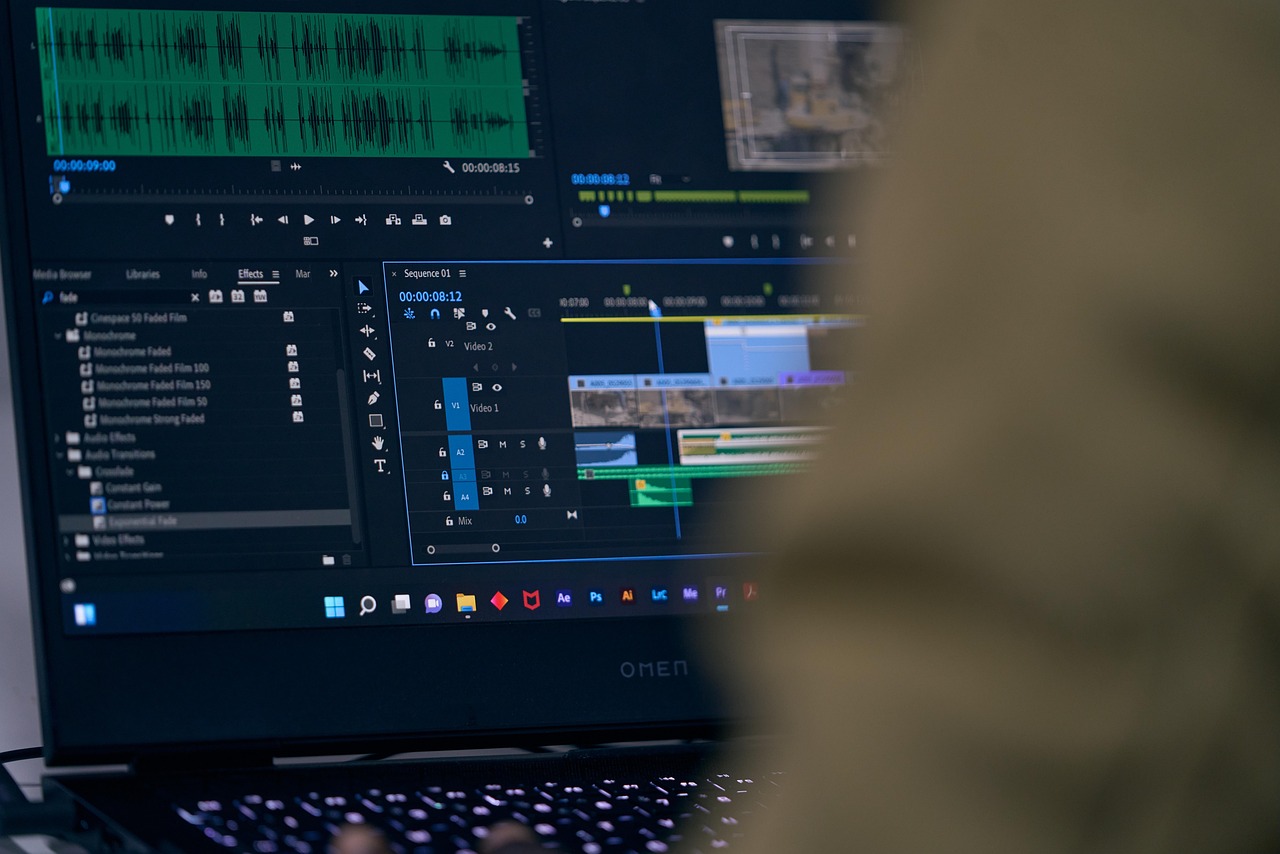
Veo 3.1, the video model Google released on 15 October 2025, is the first AI video tool whose short clips we'd put in a small client's holiday ad without apologising for them. It's quick to work with and the sound surprised us. It fixes what you tell it to fix, and it can't be trusted with brand detail. It suits agencies and freelancers making Christmas and Black Friday social clips and ad cuts for small businesses, as long as they already edit video and don't expect a finished ad from one prompt.
This veo 3.1 review argues one thing. Use Veo 3.1 as a fast source of atmosphere b-roll, seasonal variations and test cuts around your client's real product footage, and price it that way. Don't sell it as a maker of hero ads. It still warps logos, garbles label text and shifts packaging colours, and every clip stops at 8 seconds. Agencies that pitch it honestly will get real value from it this holiday season. Agencies that promise a finished ad from a prompt will spend December regenerating clips and apologising for them.
Below you'll find how to get access and what it really costs to start, what the native audio does and where it falls short, how the reference-image and frame controls behave, and what happens when you try to stretch a clip with Extend. Later sections cover pricing per usable clip, comparisons with the obvious alternatives and a holiday workflow you can run this week.

Veo 3.1 review: short clips now pass, hero ads still don't
Two days was enough to find the pattern. We ran Veo 3.1 on Wednesday 15 and Thursday 16 October 2025 against three briefs set up the way small clients hand them over. The first was Ellie's café in a market town, which wanted Christmas menu clips for Instagram and a short pre-roll. The second was Priya, a candle maker who wanted a gift-box reveal for Black Friday. The third was Tom's bike shop, pushing a winter service offer. Across the three we made 94 generations in Flow and through the Gemini API, at 16:9 and 9:16, in 720p and 1080p.
The short version of this veo 3.1 review is simple. Atmosphere clips passed almost every time. Steam rising off a flat white, frost on a shop window and hands tying ribbon on a parcel all came back looking like stock footage you'd pay for. Anything that needed the client's actual product to look right failed more often than it passed. Of the 31 clips where a real label or logo had to read correctly, we'd have shown a client 9.
So the line we'd draw for anyone quoting work is the same line the model draws for itself. It's strong on mood, place, season and movement. Brand identity is its weak spot, for now.
Getting access is easy, but Veo 3.1 is not really free
There were four routes in launch week, and they suit different people. The Gemini app gives you Veo 3.1 on a Google AI Pro or Ultra subscription, with a daily allowance of clips and the fewest controls. Flow, Google's filmmaking tool, also runs on Pro and Ultra, and it's where the scene controls live, including Extend and object insertion. The Gemini API offers Veo 3.1 and Veo 3.1 Fast as a paid preview, billed per second of video. Vertex AI carries the same two models for teams already on Google Cloud, with the billing and data controls a larger client's IT team will ask about.
For agency work, Flow is where you'll spend your time while you learn the model. The API is where you'll end up if you're making dozens of variations, because you can script prompts and keep a record of what each clip cost. The Gemini app is fine for showing a client an idea on a call, and that's about it.
Is Veo 3.1 free to use?
No, not in any way you can plan a client job around. You get trial credits on Google Cloud, and a Google AI Pro or Ultra subscription comes with a monthly bank of Flow credits. Both run out fast once you start regenerating, and on our briefs we regenerated a lot. Treat Veo 3.1 as a paid tool with a short free taster, and put the cost of credits or API billing into your quote from the first job.
Is Veo legit, and are those Veo websites Google?
Veo is Google's own model. Google DeepMind built it and Google sells it through its own products. Every clip carries SynthID, Google's invisible watermark, and clips from the Gemini app carry a visible one as well. The sites that turn up in search with "veo" in the domain name are something else. They're third-party resellers that wrap Google's API in their own interface and their own credit packs, and some of them charge well above Google's rates.
Native audio is the upgrade that makes clips feel finished
Sound is the biggest change from Veo 3, and you notice it in the first clip. For Ellie's café we asked for a barista setting a cup down on the counter on a December morning. The clip came back with the low murmur of a busy room, a spoon touching china, the hiss of a steam wand, and the shop door bell jingling as someone came in at the 5-second mark. All we'd asked for was "busy café, morning". It sounded like a real place.
Priya's gift box was the same story on a smaller scale. Tissue paper rustled as hands opened the box, the lid made a soft scrape of card on card, and a match struck as the candle was lit. Small sounds like these make a clip feel filmed. Before this release you'd have added them yourself from a sound library.
Short spoken lines worked better than we expected. A mechanic in Tom's bike shop saying "Book your winter service before the frost does it for you" came back with lip sync close enough that it passed on a phone screen. A two-person exchange of five or six words each also held up.
Where the audio falls short for a paid ad
The voices are generic. Ask for a warm, local-sounding shop owner and you get a pleasant voice that could sell anything. There's no regional accent unless you push hard, and even then it slips. Music is the weaker half. You can ask for "gentle acoustic Christmas music" and get something in that direction, but you can't control the tempo, the key or where it swells. Twice the track changed character halfway through a clip.
Long lines break it. When we gave the mechanic a 22-word sentence, he raced through it like a radio disclaimer and the last two words were cut off at 8 seconds. Keep dialogue under about 15 words per clip or the speech rushes.
Against Sora 2, which OpenAI released on 30 September, the split is clear. Sora 2 is better at characters talking, comic timing and the feel of a creator's phone video. It's weaker on polished product shots and controlled scenes. We covered that side in our Sora 2 review for agency social video. If the brief is a person being funny, use Sora 2. If it's a place, a product moment or a mood, Veo 3.1's sound suits it better.
Reference images and first-and-last frame give you scene control, not brand control
Three controls do the steering, and each one behaves differently. Ingredients to Video takes up to three reference images, such as a person, a setting and an object, and builds a clip that uses them. It now generates audio too, which it didn't before this release. Frames to Video takes a start frame and an end frame and fills in the movement between them. In Flow you can also insert an object into a clip you've already made, and the model handles the shadows and lighting on it.
What worked: same shop, same season, shot after shot
Ingredients to Video earned its place on the café brief. We gave it a photo of Ellie's real counter, a still of her window with the fairy lights on and a mood image of frosted glass. Over six clips the room stayed recognisably hers. The tiles, the chalkboard position and the warm lighting carried through, so the clips cut together as if they came from one shoot. Before this, every generation gave you a different café.
Frames to Video gave us the best single result of the two days. The start frame was Priya's closed kraft gift box on a wooden table. The end frame was the open box with the candle lit. The 8-second move between them, with the lid lifting and the tissue folding back, was smooth and believable. That's exactly the reveal a small product brand wants for Black Friday. Object insertion was useful for small fixes, like adding a wreath to Tom's shop door, though it took three tries before the wreath stopped floating slightly off the wood.
What didn't: logos, labels and packaging colour
Brand detail is where it fails, and it fails often. Priya's candle label reads "Ember & Oak" in a serif typeface. In the reveal clip it came out as "Embar & Oek" in one take and as an unreadable smudge in two others. Her sage-green box drifted towards teal across four clips. Tom's shop logo, a simple wheel and wordmark on the window, warped as the camera moved past it, and the wheel grew an extra curve that looked like a spoke. The candle jar itself changed shape between clips, from straight-sided to slightly tapered.
Reference images cut the drift down but don't stop it. A clean product photo got the shape right more often, but the text on the product still went wrong in more than half our tries.
There's a sign-off point here too. Show the client every frame their product appears in, because they'll spot a wrong label colour at a glance. Tell them the footage is AI-made before it runs, and check whether the ad platform asks you to label it.
Eight seconds is the hard limit, and Extend only partly gets round it
Every Veo 3.1 clip comes in at 4, 6 or 8 seconds, in 720p or 1080p, at 16:9 or 9:16. That's fine for a Story, a pre-roll bumper or a cutaway, and too short for anything else. A 15 to 30 second holiday ad needs more than one clip.
Extend, in Flow, is Google's answer. It takes the last second of a clip and continues from there, and you can chain extensions to a minute or more. In practice the first extension holds up. We extended Ellie's barista clip from 8 to 15 seconds, and the move from counter to window kept its lighting and its sound. The drift starts with the second extension. By 22 seconds the morning light had turned cooler and the barista's jumper had changed from cream to grey. By the fourth extension her face had changed so much that Ellie wouldn't have recognised her own staff member, and the cup she was carrying had become a mug.
The answer is to edit. A 30-second ad is four or five separate clips, each prompted for one shot, cut together with the product footage and graphics laid in between. That's how a filmed ad works anyway, and it means you can swap out a single shot when it fails. Sora 2 runs to 10 or 15 seconds per clip in its app, which buys you a little more per take, but it drifts over a long sequence too. For some shots, a phone on a tripod in the client's shop wins outright. Fifteen seconds of Tom's real mechanic tightening a real brake cable takes five minutes to film and never warps.
Veo 3.1 Fast is for drafts, Veo 3.1 for the clips you keep, and a usable clip costs more than the per-second price suggests
Speed was never the problem. In our runs, most Veo 3.1 clips came back in one to three minutes. The 1080p clips sat at the slow end of that range, and on Thursday afternoon, when the US woke up and everyone else was testing the new release too, a few took close to five minutes. Veo 3.1 Fast usually came back in under a minute. So if you're asking how long Veo 3 takes, the answer for this version is a few minutes per clip, and the real time cost is the number of clips you have to make.
Which Veo version is best? Fast to test ideas, full Veo 3.1 for finals
Use Veo 3.1 Fast to work out a prompt and to show a client three directions on a call. Its motion is a little softer and fine texture like steam and frost is less crisp, but it's good enough to judge whether an idea works. Once the prompt is settled, switch to full Veo 3.1 for the clips that will run. Keep Veo 3 and Veo 2 only where an existing workflow or script already depends on them. On our briefs, nothing they made beat 3.1.
What a usable clip really costs once the failures are counted
In launch week, Google listed Veo 3.1 on the Gemini API at around $0.40 per second of video with audio, and Veo 3.1 Fast at well under half that. An 8-second clip on full Veo 3.1 bills all 8 seconds whether you keep it or not. That's the number to watch, because you won't keep most of what you make.
Priya's gift-box reveal is a fair example. We ran 9 Fast drafts to settle the prompt and the start and end frames. Then we made 7 full Veo 3.1 clips at 8 seconds to get 3 we'd show her. That's 56 seconds of full-price billing for 24 seconds of footage we kept, so each keeper cost a little over twice the price of one clip, before you count the drafts. Across all 94 generations we kept roughly one in two. On shots where a label or logo appeared, it was one in three or worse.
Against Sora 2, Kling and a phone camera, Veo 3.1 wins on polish and loses on character
Four alternatives were on the table this week, and each one beats Veo 3.1 at something. Sora 2, which OpenAI released on 30 September, is better with people. It handles comic timing, a character talking straight to camera and the slightly messy look of a creator's phone video. Access is tighter, though. The app was invite-only and limited to the US and Canada that week, and its clips carry a visible moving watermark you'll need to plan around. For a café owner pulling a face at a burnt mince pie, use Sora 2. For a slow push across a frosted window with the room murmuring behind it, Veo 3.1 looked more expensive every time.
Kling 2.5 Turbo is the budget pick. Its motion is good, especially fast camera moves and physical action, and it costs less per clip. Its audio is the weak spot, so you'll add sound yourself. Runway's strength is the editing suite around the generation. If you want to make a clip, trim it, restyle it and cut it in one place, Runway's tools are more complete than Flow's.
Then there's the one agencies forget. Your client's own phone footage of the real product wins on trust every time. Tom's mechanic, filmed on an ordinary phone, was the most convincing shot in his whole edit, because it was his shop and his staff. None of the models can match that, and none of them try to.
How to use it on a small client's holiday campaign without overpromising
From Black Friday to Christmas, the workflow that held up on all three briefs keeps the real product real and lets Veo make everything around it. Here's the order we'd run it in this week.
- Shoot or photograph the real product first. Ten minutes with a phone in the client's shop gives you the product, the staff and the sign, which are the shots Veo gets wrong.
- Write the shot list and split it. Real shots on one side, atmosphere on the other, such as snow on the shopfront, steam over coffee, hands wrapping a gift.
- Draft the atmosphere prompts in Veo 3.1 Fast, agree a direction with the client, then make the finals in full Veo 3.1.
- Make every keeper in 9:16 and 16:9, so you can test Stories, Reels and pre-roll against each other without a new brief.
- Cut the ad in your editor, with the brand, the offer, the price and the dates added as graphics, never generated.
- Send the client every frame for sign-off, say in writing that the atmosphere footage is AI-made, and check each ad platform's labelling rules before it runs.
Video in email needs its own plan. Most inboxes won't play video inside an email, so don't embed it. Put a still frame or a short GIF of the clip in the email, with a play button drawn on it, and link it to the clip on the client's site or social page. Keep the offer and the button in live text around the image, for the reasons we set out in should you send promotional emails as one big image. If the client is on SendTo, the platform builds the HTML email from the brief and the AI reviewer checks the links and the subject line before it goes.
A nice clip won't fix where the email lands. If the client is about to push their whole holiday campaign through one domain, read how to prepare a client's sending domains for Black Friday first.
Who should use Veo 3.1 and who should look elsewhere
Veo 3.1 suits agencies and freelancers who already edit video, need seasonal b-roll and variations quickly, and can pay for credits or API billing. If you cut Reels and pre-roll for local shops, cafés and small product brands, it'll save you stock footage costs and a lot of shoot days for atmosphere shots. It's also good for testing, because a 9:16 and a 16:9 cut of the same idea takes minutes.
Look elsewhere if you're promising a client a finished ad from a prompt. Shoot it, or use templates in an editor, because the 8-second limit and brand drift will catch you out. For people-led comedy or creator-style reels, Sora 2 is the better tool. On the tightest budgets, Kling 2.5 Turbo or a phone and a tripod will do more for less. And if a brand's packaging must be exact, like a regulated food label or a cosmetics range with set colours, keep Veo away from the product altogether.
The words matter as much as the footage. A clip is only as good as the offer written over it, and we tested that side of the work in our GPT-5 review for agency copywriting.
Verdict
Veo 3.1 is the best general-purpose video model you can buy this week for polished short clips with sound. Its room tone and effects make clips feel filmed. Its reference images and start and end frames keep a shop and a season consistent across shots. Add it to your holiday kit as a b-roll and variation engine, and price it per usable clip.
It doesn't make hero ads. Logos warp, labels misspell, packaging colours drift and every clip stops at 8 seconds. Keep the real product real, put the brand and price in the edit, and it'll earn its place in your December edits.
If you review tools like Veo 3.1 for agency owners, SendTo pays affiliates 20% of the partner subscription of every agency they refer, every month that agency pays it. Commission is paid monthly by PayPal, and attribution lasts 90 days from the first click.
Join the SendTo affiliate programme