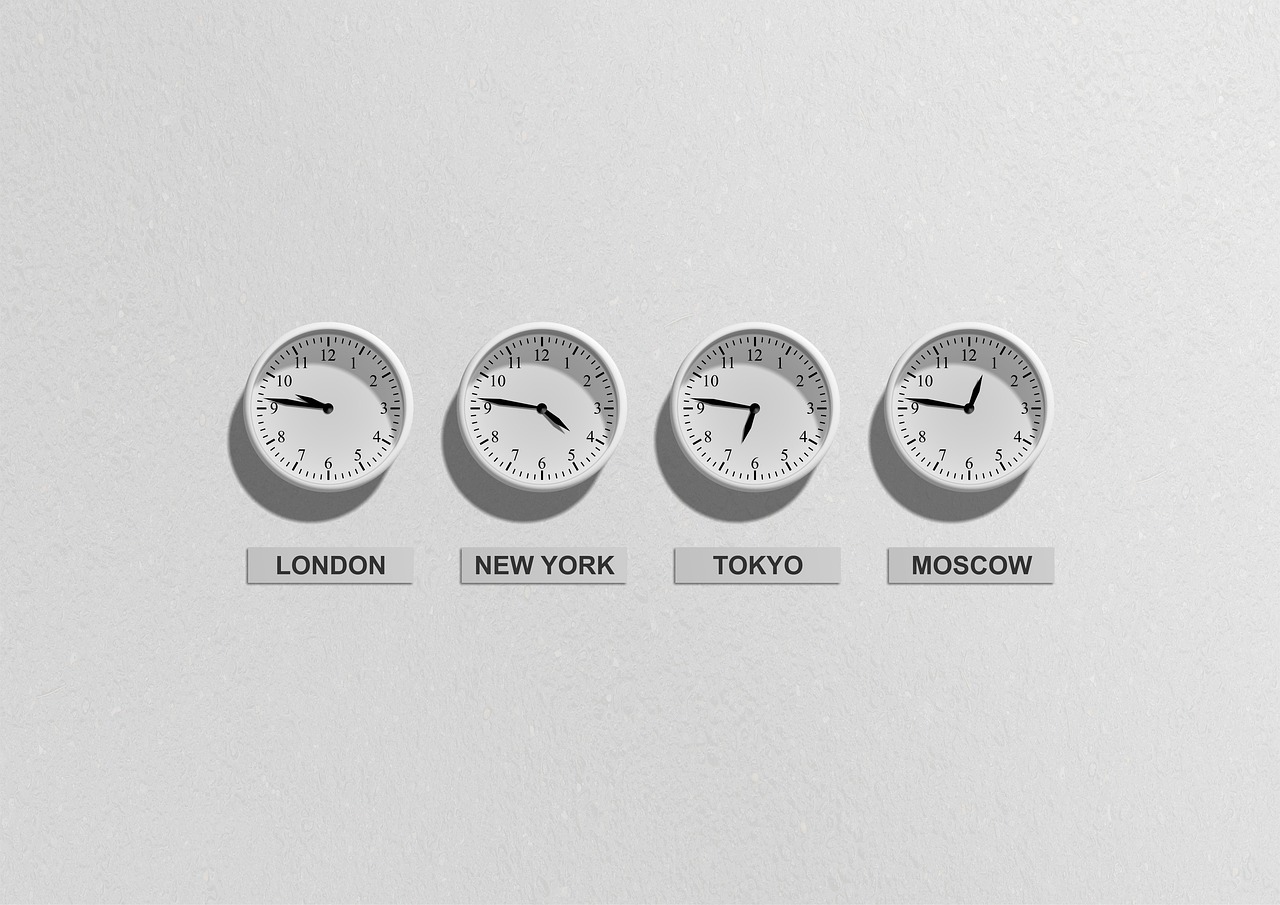
If your client's list covers London, New York and Singapore, no single send time lands in all three working mornings. That's the case for using the delayed delivery capabilities email marketing platforms offer on global B2B lists, and it's a good case. It just isn't the one usually made. Sending at the recipient's local 9am does little for open rates, and corporate security scanners make that small lift easy to fake. The gains that hold up show in clicks, replies and bookings.
There's a second payoff too. When a send is spread over hours instead of going out in one burst, the volume reaches mailbox providers at a pace that protects the sending domain. If you're an agency that has to show a client what changed, better engagement and steadier deliverability are the results you can actually put in front of them.
This first half covers why local morning matters, the three kinds of delay and what each needs from your list, how pacing protects deliverability, the daylight saving gap that opens on 10 March, and why scanner opens have to come out of your numbers before you judge any of it.
Sending at 9am in the recipient's time zone wins on replies more than on opens
Picture a procurement lead in Singapore sitting down at 8:45am. Overnight their inbox has filled with newsletters, threads from colleagues in Europe, system alerts and calendar updates. Your client's email went out at 9am London time, which was 5pm in Singapore the day before. By morning it's thirty messages down.
B2B buyers triage. They work through the first screen of the inbox, reply to what needs action, flag a few things and archive the rest. Anything below that first screen gets skimmed later, if at all. An email that arrives at 8:50am local time sits at or near the top during that triage, which is when people decide whether to reply or click through.
That's why open rates barely move. A buried email still gets opened eventually, when the buyer scrolls back on Thursday afternoon. But by then the moment to act has passed. Expect local morning sends to add a point or two of human opens at most, and sometimes nothing. Clicks, replies and bookings move more, because the email shows up when the buyer is in the mood to make decisions.
So here's where we stand. Judge time-zone sending by clicks and bookings, not opens. What's the best time to send B2B email to an international list? The recipient's working morning, roughly 8am to 10am local time, Tuesday to Thursday. Treat that as your starting point and test it, because some sectors start earlier and some buyers clear email after lunch.
Three kinds of delayed delivery do three different jobs
When people talk about delayed delivery capabilities in email marketing, they usually mean one thing, which is picking a send time. That's only the first of three, and the other two matter more on a global list.
A scheduled send goes out to everyone at one fixed moment, say 10:00 London time on Tuesday. A time-zone-local send gives every recipient the email at the same local hour, so London gets it at 9am GMT, New York at 9am Eastern and Sydney at 9am in Sydney, and the whole send rolls out over about a day. Throttled dispatch is pacing. The send goes out at a controlled speed for each mailbox provider and each receiving domain, so no provider gets hit with a sudden wall of mail.
Scheduling and throttling get confused, so keep this simple. Scheduling decides when a send starts. Throttling decides how fast it goes out once it has started. You'll often use both on one campaign.
| Type | What it solves | What it needs from the list | Complexity |
|---|---|---|---|
| Scheduled send | Launch timing for a list in one region | Nothing | Low |
| Time-zone-local send | Landing in each buyer's working morning on a global list | A time zone, or a country plus state for multi-zone countries | Medium, as the send runs for around 24 hours |
| Throttled dispatch | Volume spikes that providers treat as risky | Nothing, the platform handles it | Low for you, if the platform does it |
Time-zone-local sending is only as good as the location data
A local send needs to know where each contact is, and that information comes from three places, in order of reliability. The best source is a form field, and asking for country gets far more answers than asking for a time zone. Next is the company's country from your client's CRM. The weakest is location inferred from past opens, which scanners, VPNs and travelling sales staff all distort.
Country alone won't do for the US, Canada or Australia, which each span several zones. Use state or province where you have it, and where you don't, default to the zone with the most business activity, which means US Eastern for the US.
Contacts with no location data get the sender's default region time. On an older B2B list built from event badges, webinar signups and downloads, a quarter or more of the contacts can end up there. Report that group as its own segment, or it will water down every regional comparison you make. The long-term fix is cheap. Add a required country field to every signup form.
Throttled dispatch is delayed delivery that protects the sender, not just the timing
Mailbox providers watch how fast mail arrives. If 40,000 messages from one domain hit a provider in four minutes, that looks like the pattern of a compromised account or a spammer, and filtering gets stricter. If the same volume arrives at a steady pace, it looks like a legitimate sender.
That has mattered more since 1 February 2024. The largest mailbox providers now require anyone sending more than 5,000 messages a day to personal accounts to authenticate with SPF, DKIM and DMARC, offer one-click unsubscribe and keep spam complaints under 0.3%. Pacing doesn't replace any of that. What it does is spread complaints and engagement signals across the send, so one bad hour doesn't define the domain's reputation.
SendTo controls dispatch speed per mailbox provider and per domain, verifies addresses before sending, and splits campaign volume across several brand-matched sending domains. We cover the reasoning in our piece on multi-domain distribution. New client domains go through automated domain warmup before they carry full volume.
Does staggering a send over 24 hours hurt deliverability? On a clean, authenticated list it helps. Sending 10,000 emails a day is the same story. Use warmed, authenticated domains, a verified list and a paced send across those domains, never one burst from a new domain.
The daylight saving gap this month will break schedules that assume fixed offsets
US clocks go forward on Sunday 10 March 2024. The UK and EU follow on Sunday 31 March. For the three weeks in between, New York is four hours behind London, not five.
Any schedule built on a fixed UTC offset goes wrong during that gap. A sequence set to 14:00 UTC to hit 9am in New York will land at 10am from 10 March. A 09:00 UTC send aimed at London's 9am will land at 10am from 31 March. One hour sounds trivial, but on a recurring sequence it pushes every step down the inbox, all spring, and nobody notices because nothing actually breaks.
The Southern Hemisphere moves the other way. New South Wales, Victoria, South Australia, Tasmania, the ACT and New Zealand end daylight saving on 7 April 2024, so Sydney drops from UTC+11 to UTC+10. Queensland doesn't change its clocks, so Brisbane and Sydney sit an hour apart until 7 April and then line up again.
The fix is to schedule by named time zone, such as America/New_York, Europe/London or Australia/Sydney, never by UTC offset. Named zones follow the clock changes automatically. Before Sunday, go through every recurring sequence and automated campaign for every client and check what each one is actually keyed to.
Open rates will flatter or hide the effect unless scanner opens are removed
Corporate security scanners open emails, and often click every link in them, within seconds of delivery. They do this at any hour. Send at 2am and the report shows an open at 2:00:04. Send at 9am and it shows one at 9:00:04.
That causes two problems. First, opens look inflated on every send, which flatters the client's numbers. Second, scanners hide the very difference you're trying to measure, because they behave identically at every hour and flatten the time-of-day curve. Their link clicks pollute click data too. We explain the mechanics in how security scanners skew open metrics.
So how do you prove to a client that a send-time change worked? Strip scanner activity out first, then compare human clicks and bookings region by region. SendTo reports leave out scanner opens and show human opens, clicks and bookings in both the client portal and the partner view. That gives you and your client the same filtered numbers to work from, which matters when you're running the test in the next section.
Test send time by region, one variable at a time, before rolling it out to clients
Keep the test boring. You're asking one thing, which is whether landing in the local working morning beats your default send time for this list. If you change the subject line, the offer or the layout at the same time, you won't know which change did the work.
Take one regional segment, say US East, and split it at random into two halves. Half A gets the campaign at your default time. For a London-based agency that's often 10:00 London, which is 5am or 6am in New York depending on the week. Half B gets the same email at 9am Eastern. The subject, the content and the sender name stay the same. Then run the same split across at least three campaigns, because one send can be swung by a news day, a bank holiday or one large account forwarding it round its whole team.
- Step 1: Pick one region with at least 2,000 contacts, so each half has a fair chance of producing replies and bookings.
- Step 2: Split the segment at random, never by sign-up date or company size.
- Step 3: Send identical content to both halves, changing only the send time, and schedule by named time zone.
- Step 4: Repeat over three or more campaigns, keeping each contact in the same half throughout.
- Step 5: Compare human clicks, replies and bookings, with scanner activity removed, and treat opens as a secondary signal.
Here's what that looked like for Priya, who runs a four-person agency in Manchester and sends for a B2B software client with buyers in the UK, US East and Asia-Pacific. She ran three campaigns over six weeks. UK contacts got 9:30 London throughout as the baseline, since her default time already lands in their working morning. The figures below are combined totals across all three sends.
| Region and send time | Contacts per half | Human opens | Human clicks | Replies | Bookings |
|---|---|---|---|---|---|
| UK, 9:30 London (baseline) | 3,100 | 24.2% | 3.1% | 14 | 11 |
| US East, 10:00 London | 2,400 | 21.4% | 2.1% | 6 | 4 |
| US East, 9:00 Eastern | 2,400 | 22.6% | 3.0% | 13 | 9 |
| Asia-Pacific, 10:00 London | 1,900 | 19.8% | 1.6% | 3 | 2 |
| Asia-Pacific, 8:30 Singapore | 1,900 | 21.1% | 2.6% | 8 | 6 |
Look at the gaps. Human opens moved by just over a point in each region. Clicks went up by around half, and bookings more than doubled. That's the pattern you should expect. It's also why an agency that reports only opens would have called this test a wash.
Segment by region and behaviour together, not region alone
Time zone tells you when someone works. It doesn't tell you whether they care. Put the two together and the schedule gets far more useful, because a recent clicker in Sydney and a two-year non-opener in Sydney don't need the same treatment just because they share a clock.
SendTo builds segments from past campaign activity, so you can split each region into people who clicked recently, people who opened but never clicked, and people who didn't open at all. We cover the set-up in our guide to segments based on campaign interaction history. Layer region on top and you get groups like US East openers who never click, which is a group worth a different subject line rather than a different hour.
Should you resend to non-openers at a different time? Yes, once. A non-opener in Singapore who got the first send at 8:30am might have been in a meeting block all morning. Resending three days later at 1:30pm local time, with a new subject line, is a fair use of delay. You're testing whether the timing was the problem, not hammering the same inbox.
Once per campaign is the ceiling. Resend the same email to the same non-openers twice and you're feeding the complaint rate that mailbox providers now watch closely against the 0.3% line. If someone has ignored the original and one resend across three campaigns in a row, move them to a lower-frequency group or put them through re-permission. Don't keep pushing.
Delayed delivery has limits that agencies should tell clients up front
Local-morning sending is a good default, not a rule. Tell clients where it doesn't fit before they find out the hard way.
Urgent sends go out to everyone at once
A webinar that starts in an hour, a flash offer that closes at midnight UK time, a service outage notice. None of these should roll out over 24 hours. If Sydney gets your reminder at 9am local the day after the webinar, it's worse than useless. For anything tied to one fixed moment, use a single scheduled send and keep throttling on so the burst still reaches providers at a steady pace.
A mistake in wave one repeats in every wave
A staggered send is a chain of sends. If the London wave goes out with a broken booking link, you've got a few hours to catch it before New York and Singapore get the same thing, and by then your best-engaged UK buyers have already seen it. Check everything before the first wave. SendTo's built-in reviewer looks at subject lines, structure, language, links and basic compliance before launch, and we explain why that matters across a team in our piece on AI email reviewers for agency quality control. It won't catch a wrong date in your copy if the date looks plausible, so a human read-through still belongs in the process.
Some audiences blunt the effect
Global companies forward mail internally. If your contact in Frankfurt forwards the email to a colleague in Chicago, the colleague reads it whenever it lands, not at 9am Central. Buyers who mostly read on their phones also triage at odd hours, on the commute or in the evening, so the top-of-inbox advantage is smaller. And none of this fixes list quality. Mass emailing isn't illegal, but sending to people who never agreed to hear from your client breaks rules like GDPR, and no send time makes an unwanted email welcome.
Package send-time optimisation as part of a retainer, reported in bookings
Clients don't pay for scheduling. They pay for meetings booked and replies from buyers they want. So sell regional send times as part of a monthly retainer, and make the report show what the client gets from it.
A workable monthly report has three parts. Human clicks by region, with scanner activity removed. Replies and bookings by region, set against the previous month. And the size of the no-location group, with a note on how many contacts you moved out of it by adding a country field to the client's forms. That last line shows you're improving the list, not just sending to it. Put it in the client portal, so the client sees the same filtered numbers you do instead of a screenshot you chose.
With SendTo, you run this under your own agency's brand and set your own prices. The client logs into your portal, not ours. We handle verification before sending, warmup for new client domains, pacing per provider and domain, and spreading volume across sending domains, so your hours go on segments, tests and the monthly report. For how this fits a wider package, see our guide to building a retainer strategy for B2B email clients. For what the platform costs you, check the pricing page, because plans change and this article won't.
If you recommend email software, this is a feature worth explaining to your audience
Agency owners serving global B2B clients ask the questions this article answers. When should a London send reach Singapore? What's the difference between scheduling and throttling? Why don't my open rates match my bookings? If you write, film or post for agency owners, a clear explanation of delayed delivery, pacing and scanner-free reporting is useful content, and it's the kind that brings readers ready to choose a platform.
Here's what we offer affiliates. You earn 20% of the partner subscription each agency you refer pays SendTo, every month that agency pays it. You never get a share of what that agency's own clients pay the agency. Attribution lasts 90 days from the first click, and the first touch wins. We pay commission monthly, by PayPal.
Before Sunday, do one practical thing for your own readers. Remind them to check every recurring send against named time zones before US clocks change on 10 March. It's timely, it's useful, and it shows you know the work.
Write about global sending for agency owners, and earn 20% of the partner subscription every month for each agency you refer.
Join the SendTo affiliate programme