
Two posts a week, each made in under fifteen minutes, will keep a small business account alive through August for about half an hour of work a week. That's the whole plan. An account that goes quiet for four or five weeks loses more than one that posts lightly, because it comes back in September to followers who've stopped expecting it and a feed with no recent engagement to go on. Posting light costs less than restarting cold.
It's Wednesday 29 July 2026, and August starts on Saturday. Below are eight social media post ideas for small businesses in August that use material you already have, like the shop floor, the staff and the questions customers ask every day. None of them needs a photographer, a script or a new product to show off.
Every format gets the same treatment. You'll see what it is, why it earns a slot in a slow month, one concrete detail to copy, and roughly how long it takes. Each one also gets a second job, as a section in a September email, a signup prompt or a line of proof in a client report, so the August effort keeps paying after the month ends.
Why a lighter August beats a silent one
Be honest about August first. Your followers are on beaches, at grandparents' houses and in campsites with one bar of signal. Posts get fewer likes, fewer comments and fewer shares than they did in May. Interest in marketing in general sits near its lowest point of the year in mid-summer, then climbs through the autumn towards November, December and January. None of that is a reason to stop.
A feed with nothing new for a month gives your followers nothing to remember you by and gives the platform no recent activity to rank you on. Platforms don't publish exact rules for this, and we won't pretend to know them. What you can see for yourself is that an account posting steadily has a history of people tapping, watching and replying, and an account that went dark in August has a gap. September then starts from zero, at exactly the moment you want people paying attention to your autumn stock or class timetable.
So the goal for August is continuity, not a spike. Twice a week is enough for most small businesses, and it's a rhythm one person can keep up while the team is on holiday. We made the same argument for email in keeping a client's list engaged through the June slump, and it applies to social with even more force.
Every format below had to pass a three-part test. It takes under fifteen minutes from idea to posted. It uses something the business already has. And it has a second use after August. If a post idea fails any of those, it's not a summer idea.
1. A behind-the-scenes clip shows the work customers never see
A 10 to 20 second phone clip of the work in progress is the easiest post on this list. Film the prep before opening, parcels being packed, the van being loaded or the workshop lights coming on at 8am. Customers see the finished product. They rarely see how it gets made, and that's what makes the clip interesting.
It earns its place because there's no script and nothing to stage. Process footage has a natural beginning and end, so people tend to watch it to the finish, which is more than you can say for a product shot with a long caption underneath.
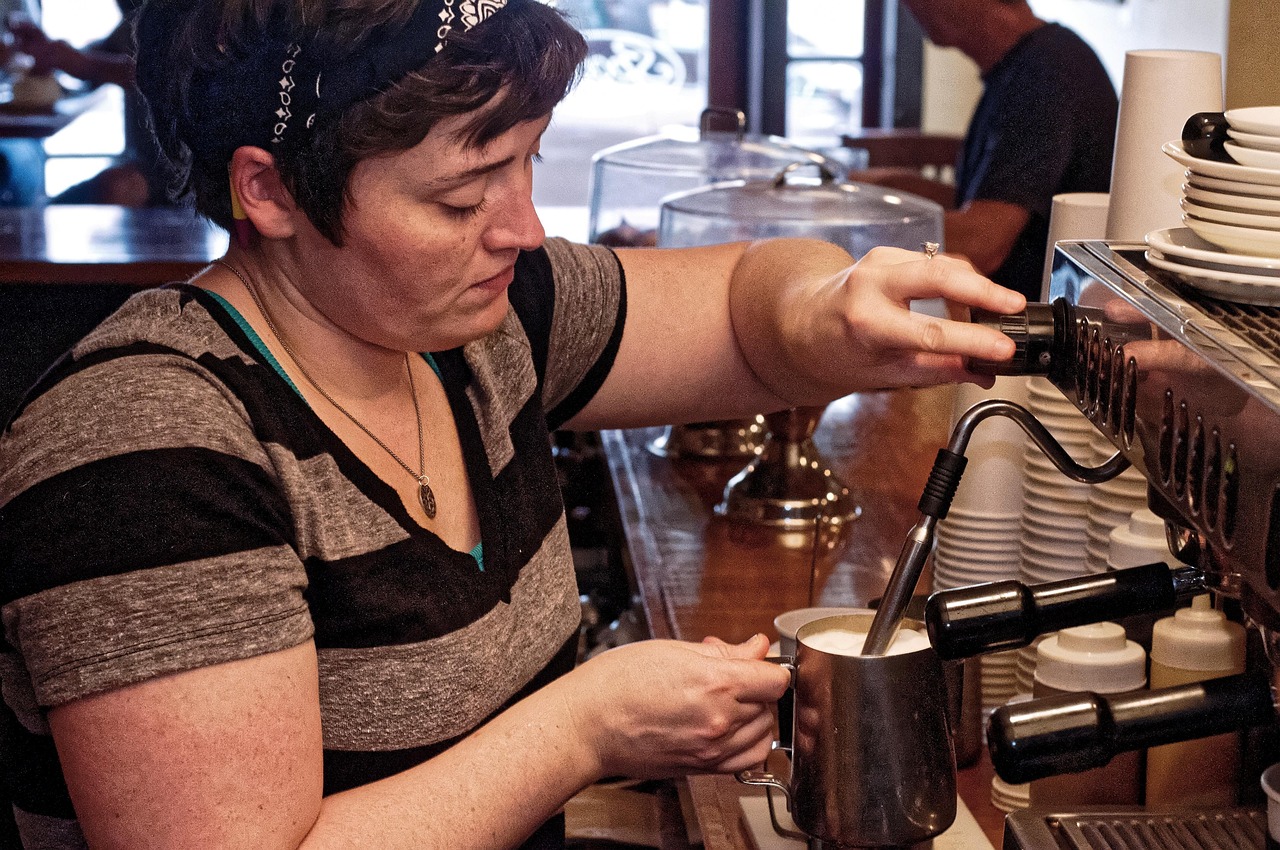
Film vertically, skip the voiceover, add one line of on-screen text that names what's happening, and post it as filmed. Don't edit it into a montage. A café owner recording milk being steamed at 7am, with the text "First flat white of the day, 7am," has a finished post in about five minutes. A joiner filming a dovetail being cut does the same in the same time.
The second use is in your September email. A still from the clip, with two sentences about how the work is done, makes a strong opening section for an autumn newsletter. Keep the clip itself on social and put the words in the email.
2. A staff pick puts a face on the business while the owner is away
One team member, one product or service they rate, and one sentence on why. That's a staff pick. It takes about ten minutes, most of which is finding good light for the photo.
It earns its place in August because it spreads the posting across the team. When the owner is in Cornwall for a fortnight, the account still sounds like a real business with real people in it, not a scheduled advert. It also gives staff a small, low-pressure way to contribute without needing access to anything beyond a phone camera.
Hand your team a template caption they can fill in from their phone and send to whoever is posting. Something like this works well.
[Name]'s August pick: [product or service], because [one honest reason].
A garden centre's weekend assistant picking a late-flowering salvia, "because it's still going strong when everything else has given up," is a better post than anything the owner would write about the same plant. A salon junior picking a heat protection spray before a holiday does the same job in a different trade.
Staff picks reuse well. Run three of them as a "what the team is recommending" section in your first September email, or collect them into a client report as proof the account stayed active during holiday cover.
3. A customer question answered in public saves the same answer twice
Take a real question someone asked at the counter, by email or in your DMs, and answer it in one post. "Can I freeze your sourdough?" "How often should I get my oven cleaned?" "Do you do weekend appointments in September?" You already know the answer, so there's nothing to research. It takes about ten minutes, and that includes writing the caption.
This format earns its place because the next person with the same question finds the answer without asking. It also suits service businesses with nothing much to photograph. A cleaner, an accountant or a dog groomer can put the question on a plain coloured background as text and answer it in the caption. Answered questions stay on your profile and turn up when people search it later, which a one-off holiday post rarely does.
Keep a running note on the till or on your phone through July and August, and write each question down the day it's asked. When you post, retype or screenshot the question with the customer's name and handle removed. Nobody wants their query turned into content without being asked.
The same question, with a slightly longer answer, makes a ready-made section for a September email, and a short run of them becomes a FAQ block on your website. One answer, written once, used three times.
4. A before-and-after does the selling without a sales line
Two photos of the same thing, taken from the same angle. A cleaned oven, a trimmed hedge, a restored chair, a fresh haircut. The result explains itself, so the caption can be as short as "Four hours, one oven." It takes about five minutes to post once you've got both photos.
It earns its place because it shows what you do without a single sales line. Visual trades like cleaners, gardeners, upholsterers and salons get more from this format than from almost anything else, and August is a busy month for many of them.
The detail that matters is the angle. Take the before photo from a fixed spot and mark it, with a bit of masking tape on the floor or a note of which tile you stood on. A mismatched angle ruins the comparison, and you can't reshoot a before once the work is done.
Before-and-afters reuse well in a September email and as proof in a client report. Put the two photos in the email with a line of real text alongside them, not as one flattened image with the words baked in. We explain why in our piece on image-only marketing emails and why they underperform.
5. A this-or-that poll gets replies from people only half paying attention
A two-option poll, in stories or as a post, on something low-stakes that fits the business. Iced or hot. Beach or garden. Which of two new colours to stock this autumn. It takes about three minutes to make, which makes it the quickest format here.
It earns its place because a tap takes less effort than a comment, and that suits an audience scrolling on a sun lounger. It also gives you something back. The result tells you something about your customers you can act on, which a like never does.
Make at least one option something you could actually stock or offer. A florist asking "Dahlias or sunflowers for the September window?" learns something useful. A florist asking "Cats or dogs?" just gets taps. Then report the result in a follow-up post a few days later, and do what the poll said. Followers notice when their vote changed something.
The result makes a good opening line for a September email: "You voted dahlias, so dahlias are in the window from Monday." For an agency, a poll result is a neat piece of proof in a client report, because it shows the audience responding, not just being posted at.
6. A reshared customer photo fills the feed with proof you did not have to shoot
This is the one format where someone else does the shooting. You repost a customer's tagged photo or review, with their permission and a credit. Once you have the yes, it takes about five minutes.
It earns its place because customers post more in summer than at any other time of year. A dress from your boutique on a holiday terrace, your birthday cake on a picnic blanket, a bike from your shop on a coastal path. A photo a customer took for their own reasons is proof you couldn't stage, and August hands you more of it than any other month.
The detail to copy is a one-line DM sent before you repost. "Love this, can we share it on our page with credit to you?" Wait for the yes, screenshot it, and put their handle in the first line of the caption, not tucked away at the end. Credit up front shows other customers you treat their posts with respect, and it makes them more likely to tag you next time.
For the second use, ask for email permission in the same DM. A yes to a repost on social isn't a yes to appearing in your newsletter. With both, a few customer photos make a warm "seen this summer" section in a September email. For an agency, the number of tagged posts in a month is a neat line of proof in a client report, because it shows customers talking about the business without being asked.
7. A throwback to last August costs nothing and shows the business lasts
Find a photo from a year ago, or five years ago. The old shopfront before the refit, the first batch of candles, a stall at a summer fete. Post it with one line on what's changed. It takes about five minutes, and you don't need to make anything new.
It earns its place because it reminds followers you've been around. That matters to someone choosing a cleaner, a joiner or a dog groomer, because a business with a history feels like a safer bet than one that turned up last spring.
The time-saver is your phone's photo search. Most phone galleries let you type a month and year, like "August 2023", or a place name, and they'll pull up the shots in seconds. A florist could pair a photo of a single bucket stand at a farmers' market with "August 2021, one gazebo and three buckets. This year we've got the shop on Church Street." One line is enough.
Use this format once in the month, not every week. Too many throwbacks make a feed look like the business has stopped moving. Also check the old photo for prices or menu boards, because a follower who spots a 2021 price will ask why it's gone up. The same photo and line make a short "where we started" story in a September email, which works especially well around an anniversary.

8. A September teaser gives followers a reason to come back
A cropped or blurred glimpse of whatever's coming next, like a new autumn menu, the first box of autumn stock, a class timetable or a back-to-school offer for uniforms or haircuts. It takes about ten minutes, most of it spent getting a crop that shows enough to be interesting without giving the whole thing away.
It earns its place because it bridges the slow month and the busier autumn. Interest in marketing climbs from September towards November, December and January, and a teaser means your first autumn post lands on people who've already been told to expect it.
Post it in the last week of August, between Tuesday 25 and Monday 31, and give it a date. "New autumn menu, Monday 7 September" gives people something to look out for. "Something's coming" gets scrolled past. Only tease what's actually booked, because a date you then miss does more harm than no teaser.
This is also the format that answers whether social posts can feed your email list before autumn. Add a signup link to the teaser with a plain reason to join, like "Subscribers see the full menu two days early." Then keep that promise and send them the early look first. A bot-protected signup form on a simple landing page does the job, and if you need to decide between single and double opt-in, our guide to double opt-in under GDPR covers when each one fits.
Batch all eight in one afternoon and schedule them before you go
Two sittings make the whole month. First, a 45-minute phone session for clips and photos, covering the behind-the-scenes clip, the staff pick photo and any throwback you dig out. Then a 45-minute sitting to write all eight captions. After that, load everything into the platform's native scheduler, and August runs at two posts a week while you're away.
| Week | Tuesday | Thursday |
|---|---|---|
| Week 1 (from 3 Aug) | Behind-the-scenes clip, 4 Aug | Customer question answered, 6 Aug |
| Week 2 (from 10 Aug) | Staff pick, 11 Aug | This-or-that poll, 13 Aug |
| Week 3 (from 17 Aug) | Before-and-after, 18 Aug | Reshared customer photo, 20 Aug |
| Week 4 (from 24 Aug) | Throwback, 25 Aug | September teaser with date, 27 Aug |
Two slots can't be fully prepared in advance. The before-and-after depends on a job happening, and the reshare depends on a customer saying yes. Leave both as drafts and give them to whoever is covering. Share the poll result in a story a few days after the poll closes. And yes, you can schedule August posts before your holiday. Scheduling doesn't reply to comments, though, so put someone in charge of checking messages once a day for ten minutes.
Running it across ten client accounts takes one template and one form
For an agency, ten clients doesn't mean ten times the work if every client gets the same eight formats. Write one shared caption template for each format, then swap in each client's details. Send every client a short staff-pick form with four fields, covering name, pick, one reason and a photo. Their team fills it in from a phone, and you get ten finished staff picks back without chasing anyone. Batch the captions by format across the roster, so you write all ten behind-the-scenes captions in one go, then all ten customer questions.
Package it properly. A summer social plan sits well next to the email retainer packages a small agency can sell to local clients, and the second uses above give you September email content and report proof without extra shoots. For planning the rest of the year around the same summer low and winter high, our piece on building a content calendar around email marketing's seasonal peaks maps the months.
Choose formats by what you already have, not by what looks clever
Eight formats is a full month. You don't need all of them. Start from what's already on your phone and in your shop, and pick the ones that cost you least.
- Staff but no time: use the staff pick and the answered customer question. Your team supplies the material.
- A visual trade, like cleaning, gardening, a salon or a florist: use the before-and-after and the behind-the-scenes clip.
- Customers tag you often: use the reshared photo, and send the permission DM the same day they post.
- Launching something in autumn: use the September teaser with a signup link, and post it in the last week of August.
- Few photos and a quiet shop: use the poll and the throwback. Neither needs anything new.
- A service business with nothing to photograph: use the answered question on a plain background, plus the poll.
Agencies should pick three formats for each client and rotate them, so every account stays active without every feed looking the same. Whatever you choose, judge August by whether the posts went out, then judge September by how the first autumn post does.
If you write for agency owners or recommend marketing tools, SendTo's affiliate programme pays you 20% of the partner subscription each agency you refer pays SendTo, every month it pays. You never get a share of what that agency's own clients pay the agency. Attribution lasts 90 days from the first click, the first touch wins, and commission is paid monthly by PayPal.
Get your referral link and start earning 20% of every referred agency's partner subscription.
Join the SendTo affiliate programme